

Host Inbox Guide
To increase guest satisfaction, it's essential for a host to communicate quickly and accurately. You can see all messages with your guests at a glance in the [Inbox] menu on SpaceCloud.
1. A Message from a Guest has been Received!
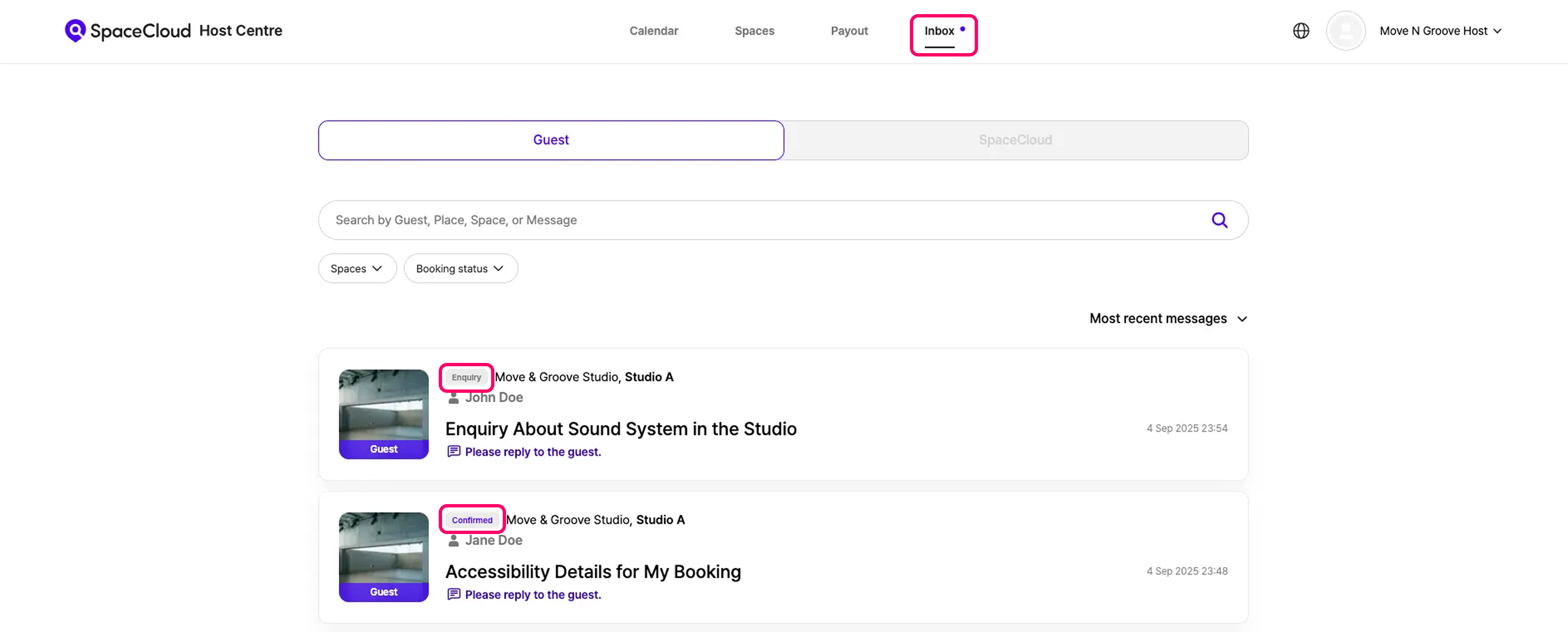
There are two categories of guest enquiries:
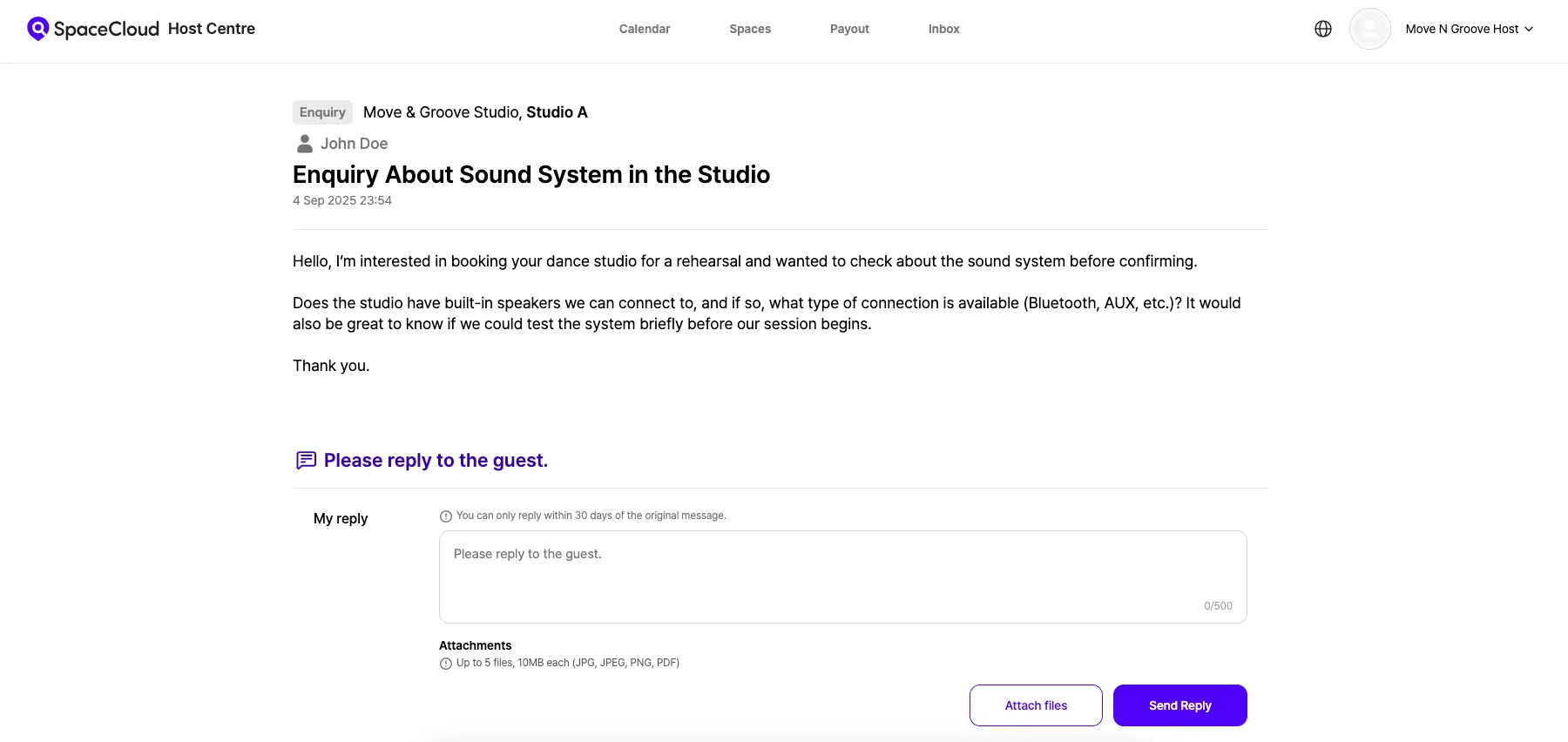
- Enquiry: A pre-booking message send by guests before booking a space. A single guest may send multiple messages.
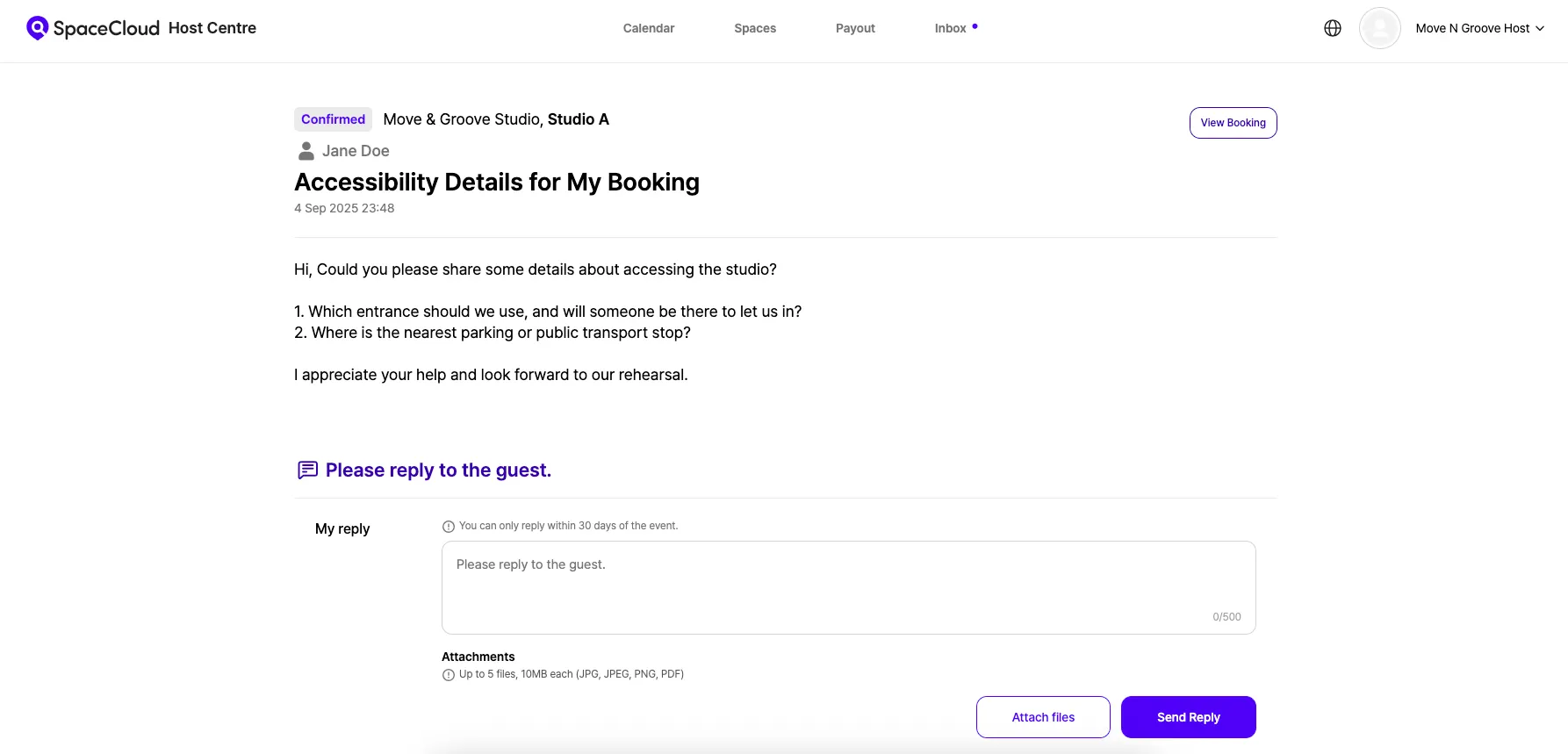
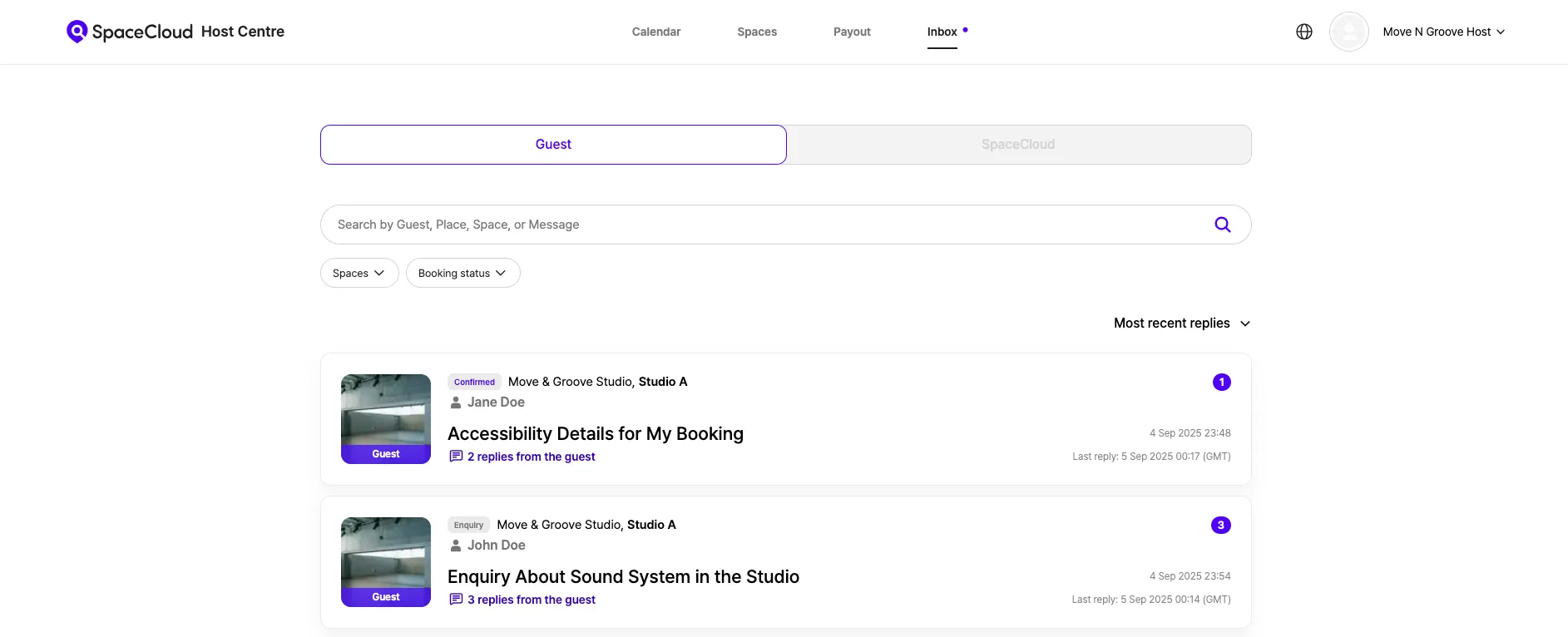
- Confirmed: A message send by guests after their booking is confirmed. Guests can send one message per booking reference. A badge will show the current status of the booking as it progresses through different stages.
2. Sending a Message to a Guest!
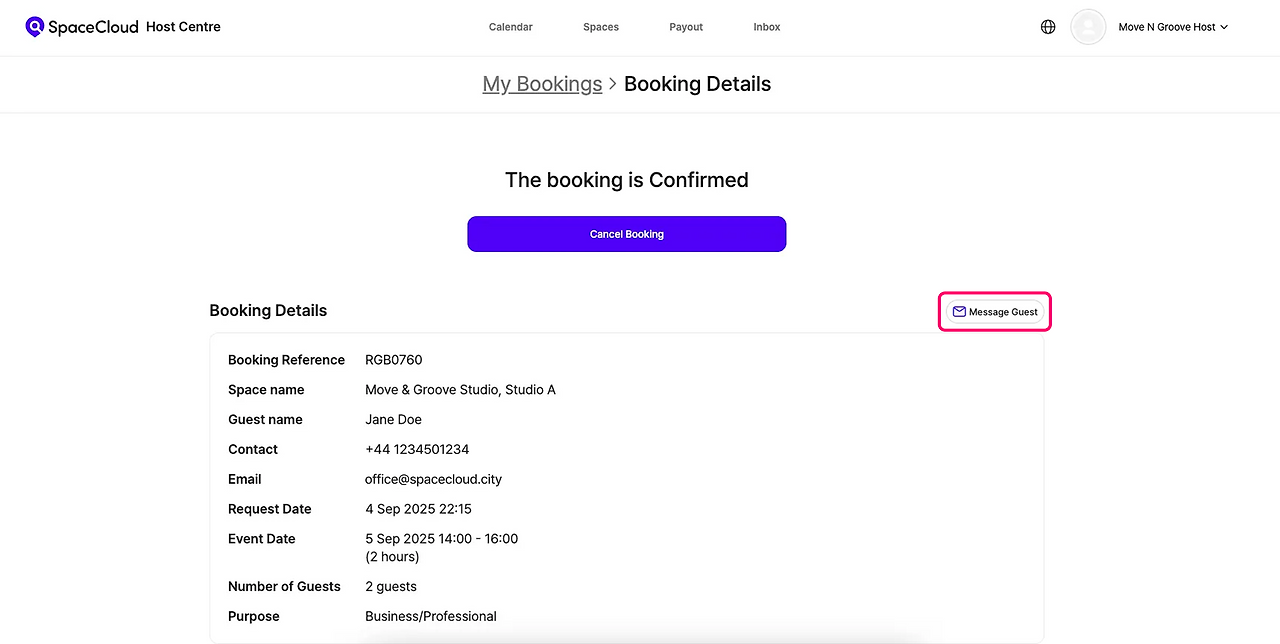
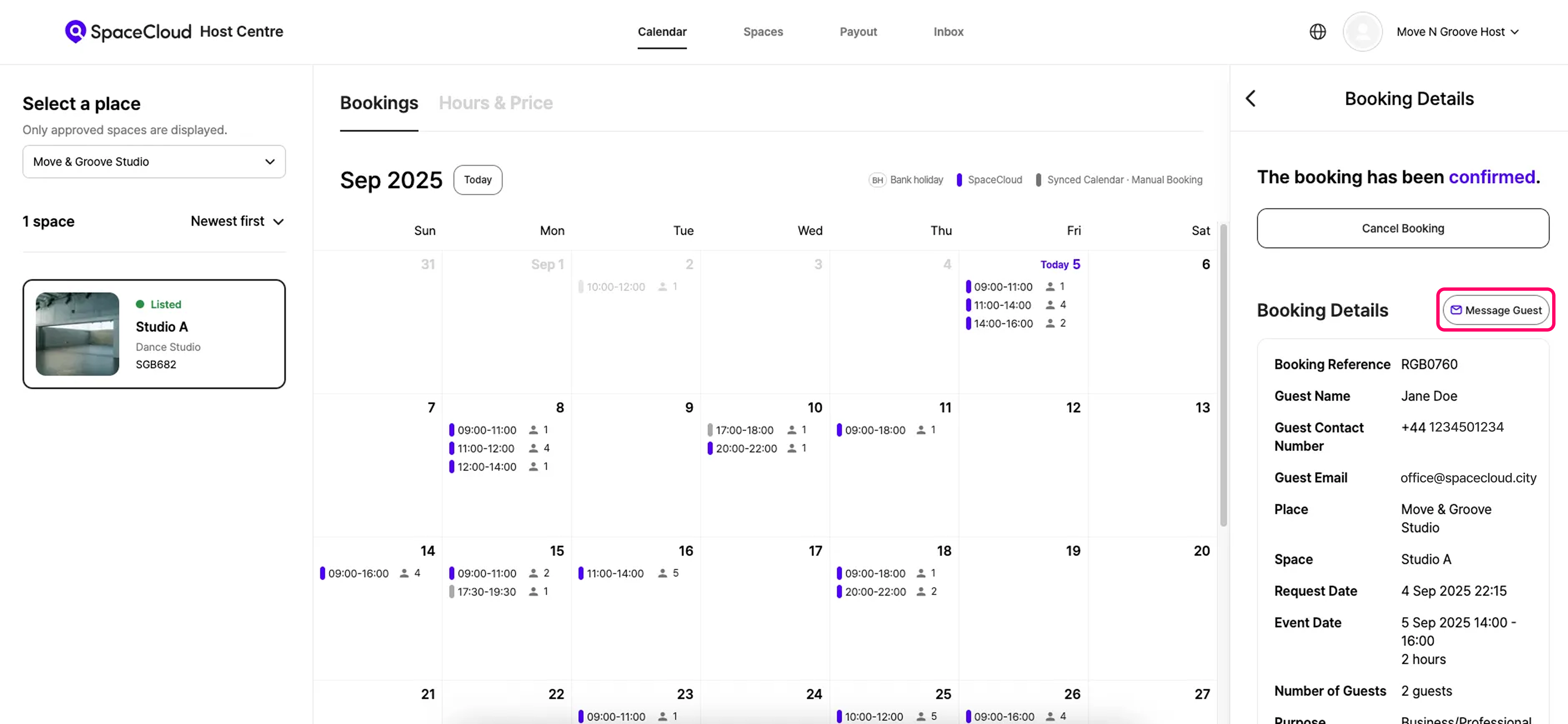
If you need to send a message to a guest who has an ongoing booking, you can send them a message by clicking the [Message Guest] button.
3. Managing Messages
All of your messages are in the [Guest] tab of the [Inbox] menu.
When a new message arrives, you'll get an email notification, and a badge on the message will show you the number of unread replies. For easier management, you can filter or search your messages by space, booking status, or keywords.
Filter inquiries quickly
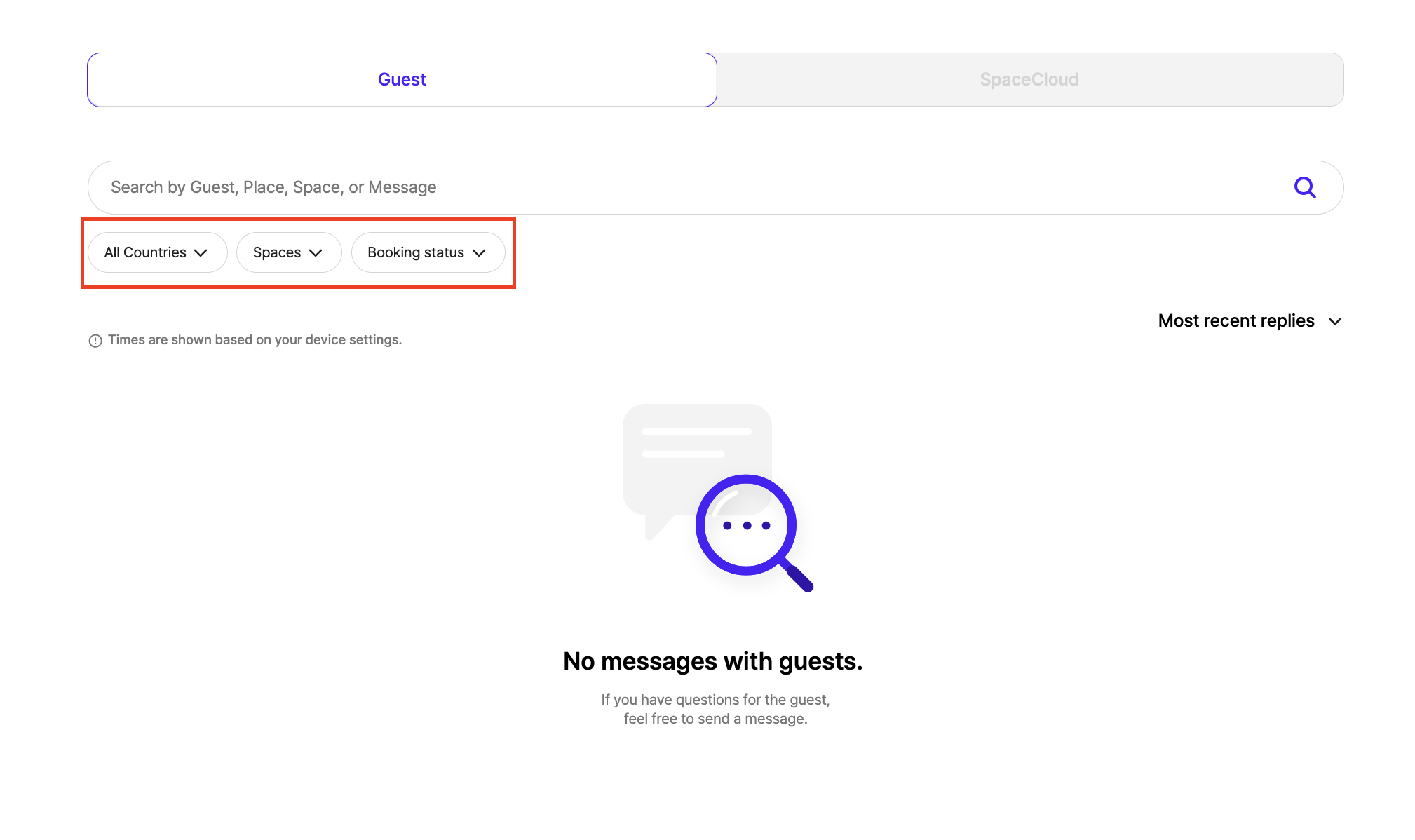
To help you manage messages more efficiently, you can use filters to quickly locate specific inquiries in your Inbox.
1. Country
If you manage properties in multiple countries, you can view inquiries from all locations in one place. Use the country filter to narrow down messages from a specific country when needed.
2. Spaces
Filter inquiries by space to view messages related to a specific property only. This is useful when managing multiple spaces and focusing on one.
3. Booking status
Filter inquiries by booking status to find messages at different stages, such as pre-booking inquiries or confirmed bookings, helping you manage conversations more effectively.
4. Tips for Responding to Enquiries
- Response Time: Try to reply to all enquiries within 24 hours. Quick replies really help guests feel taken care of!
- Friendly Tone: Being clear and friendly in your messages can have a big impact on how happy guests are and can boost your review scores.
- Reduce Repetitive Questions: If you're getting the same questions over and over, you can add a FAQ section to your space's description or rules. It's a great way to save yourself time and help guests find answers fast!
'HOST FAQ' 카테고리의 다른 글
| How to List a Space (0) | 2025.08.19 |
|---|---|
| Host SpaceCloud Refund Policy Guide (0) | 2025.08.19 |
| Host Booking Management Guide (0) | 2025.08.19 |
| Host Calendar Guide (0) | 2025.08.19 |
| Host Payout Guide (0) | 2025.08.19 |