
Hello, this is the SpaceCloud Support Team.
Sometimes you may need to cancel a booking due to personal circumstances. This guide will walk you through the cancellation process.
💡 We kindly ask that you manage your bookings and cancellations with care.
1. How to Cancel a Booking
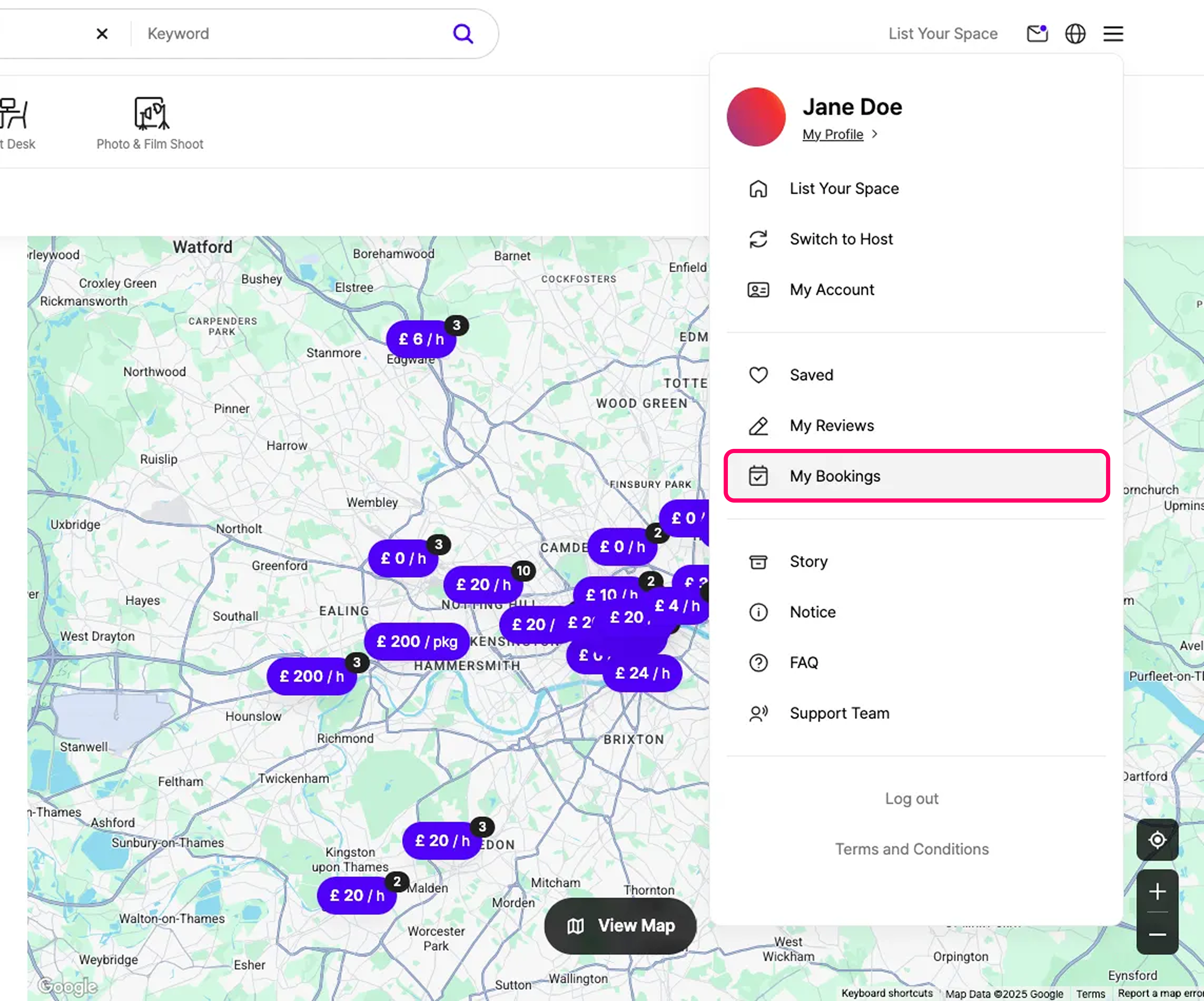
1) Go to the [My Bookings] page from the menu on the right and click the [Upcoming] tab.
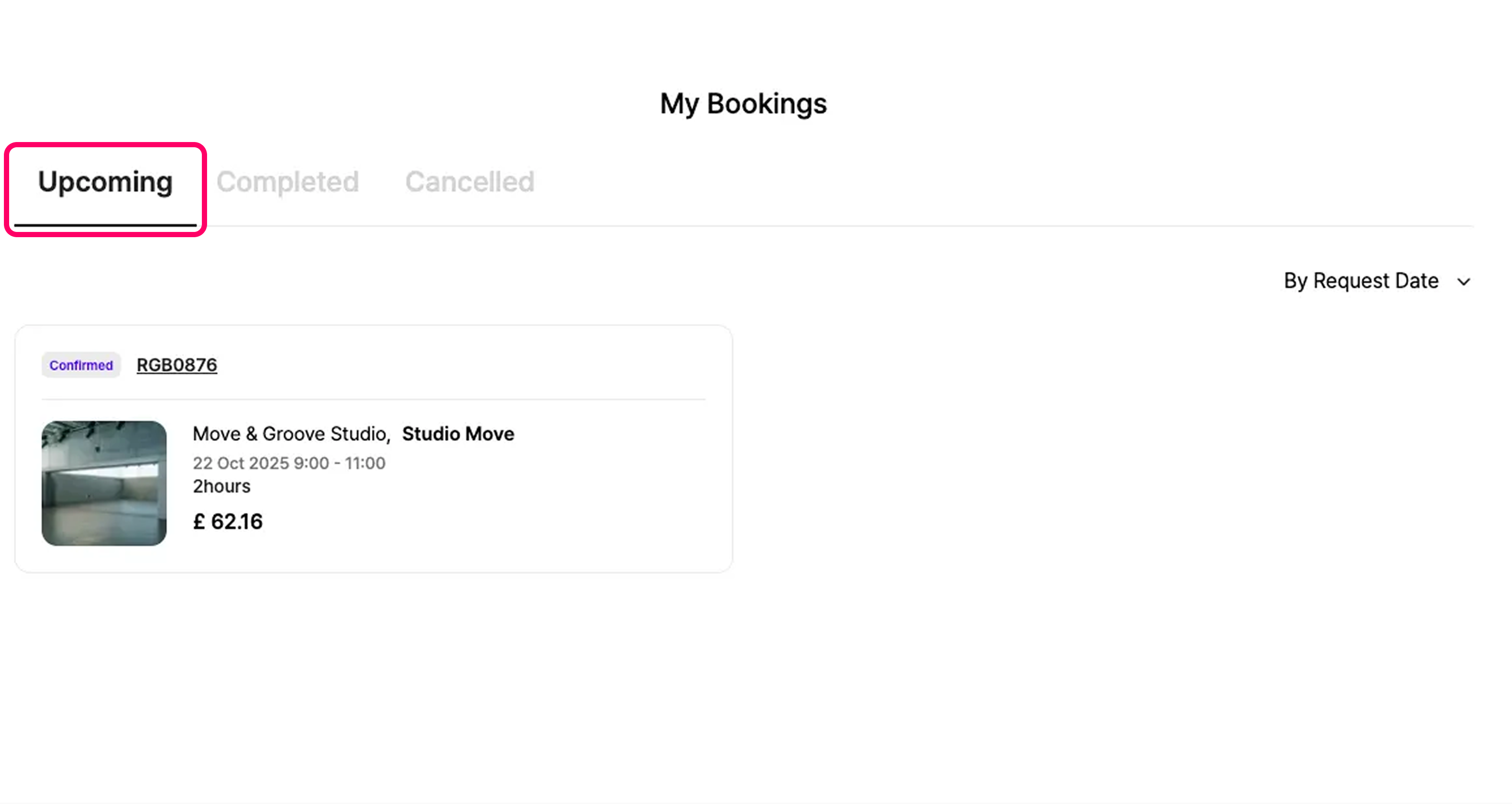
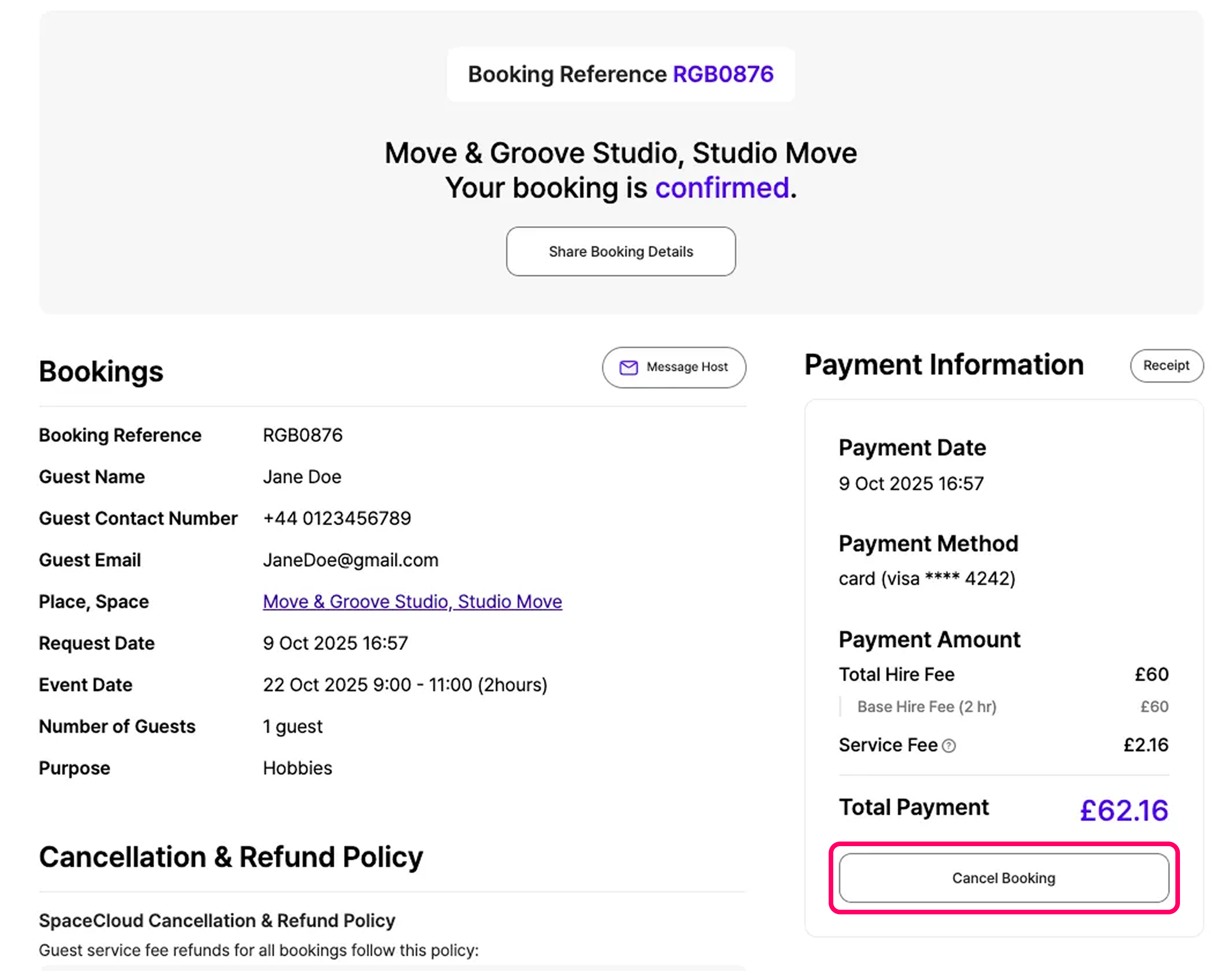
2) Select the booking you wish to cancel, then click the [Cancel Booking] button under Payment Information on the booking details page.
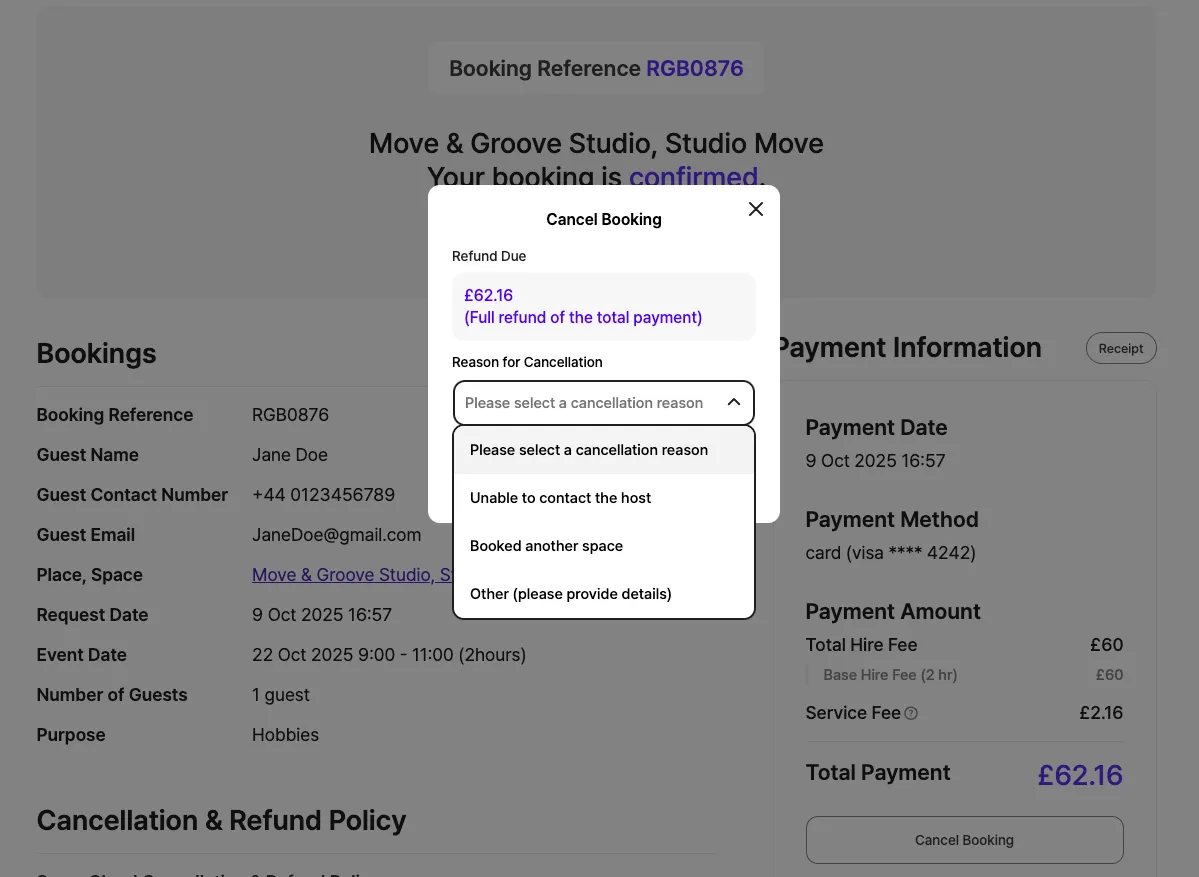
3) Finally, choose a reason for cancellation, and your booking will be cancelled.
2. Checking Your Cancellation Status
Once your booking is successfully cancelled, you’ll see the message “Your booking for [Building Name], [Space Name] has been cancelled” at the top of the booking details page.
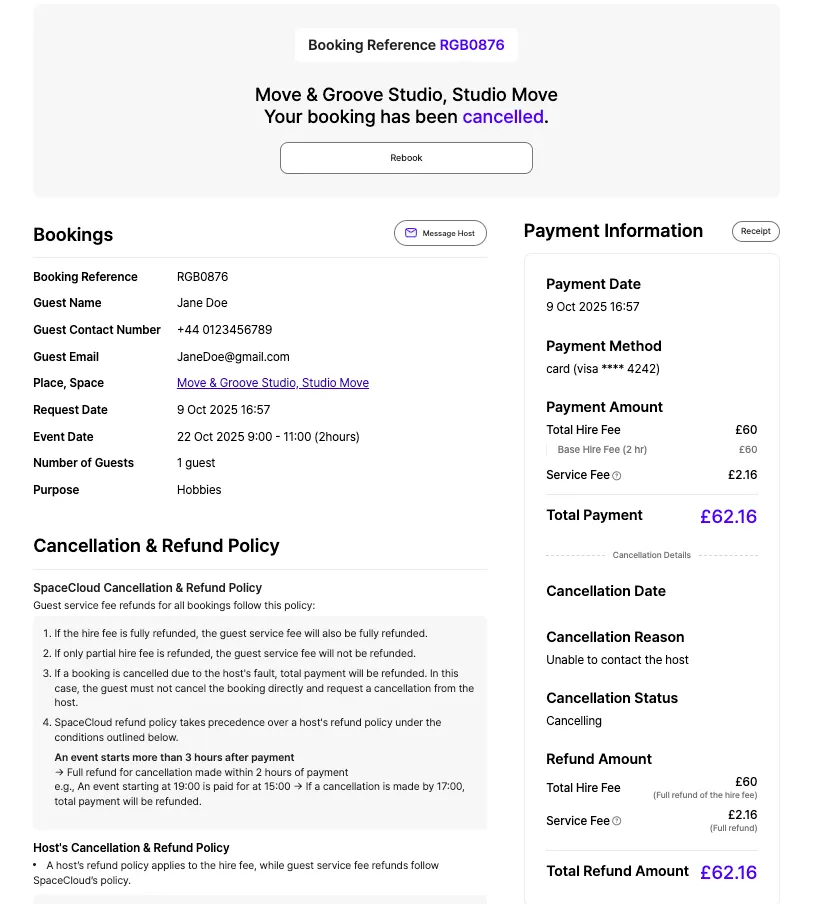
You can also review the cancellation details, including the refund amount, under Payment Information on the right-hand side.
• Cancelled bookings can be found in the [Cancelled] tab on the My Bookings page in the right-hand menu.
• You’ll also receive an email once the cancellation is complete, where you can check the details.
3. Refund Process
Guest refunds and host payouts will be issued in accordance with the host’s refund policy. Refunds are processed through Stripe and will be returned to your original payment method within 14 business days.
You can find the host's refund policy on the space page, the booking page, and your booking confirmation page.
The policy shown is the one that was in effect at the time you made your payment.
For full details on refunds, please refer to the SpaceCloud Refund Policy guide.
🔗 SpaceCloud Refund Policy
Space For Everyone,
Team SpaceCloud.
'SERVICE GUIDE' 카테고리의 다른 글
| Guide to Communicating with Hosts (0) | 2025.09.16 |
|---|---|
| How to Write a Review (0) | 2025.09.16 |
| How to Book a Space (0) | 2025.09.16 |
| SpaceCloud Refund Policy (0) | 2025.09.16 |
| SpaceCloud Guide (0) | 2025.08.18 |