
Hello,
This is the SpaceCloud Support Team.
Want your space to be the first thing guests see when searching for a venue?
Here is a practical guide to strategic, SEO-friendly naming to help your space stand out and drive clicks on search engines like Google. 😊
1. Why do your Place and Space names matter?
To ensure your listing ranks prominently on search engines like Google, your Place Name and Space Name must contain the specific terms guests are actually searching for.
When your naming convention is clear and descriptive:
• Improved SEO: Helps search engines accurately categorise and rank your venue.
• Targeted Visibility: Ensures you appear in front of the right audience for relevant searches.
• Higher Clicks: Instant clarity encourages guests to choose your listing over others.
2. Examples of Effective Naming ✅
The secret to a high-performing listing is assigning clear, distinct roles to your Place Name and your Space Name.
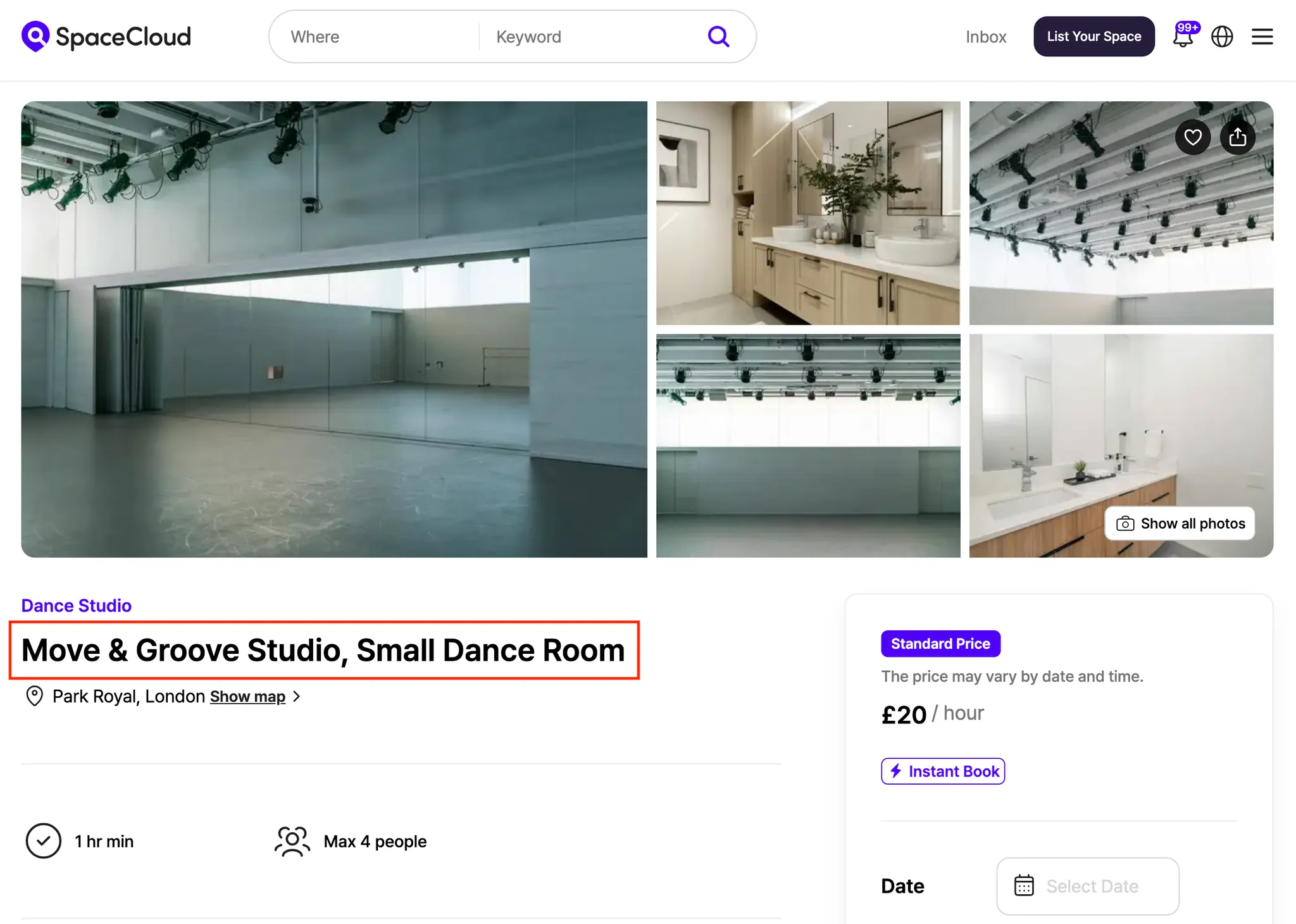
✔ Place Name
Use your overarching brand name or the name of the building/venue as a whole.
Example: Move & Groove Studio
✔ Space Name
Describe the specific room’s purpose, type, or standout features.
Example: Small Dance Studio
How it appears in search results:
"Move & Groove Studio, Small Dance Studio hire in Park Royal, London – SpaceCloud"
💡 Why this works:
This highlights your brand while instantly defining the room's purpose, making it clear to guests at a glance.
3. Naming Pitfalls to Avoid ❌
If your Place Name and Space Name are identical, search engines may flag the listing as containing duplicate information, which can negatively impact your ranking.
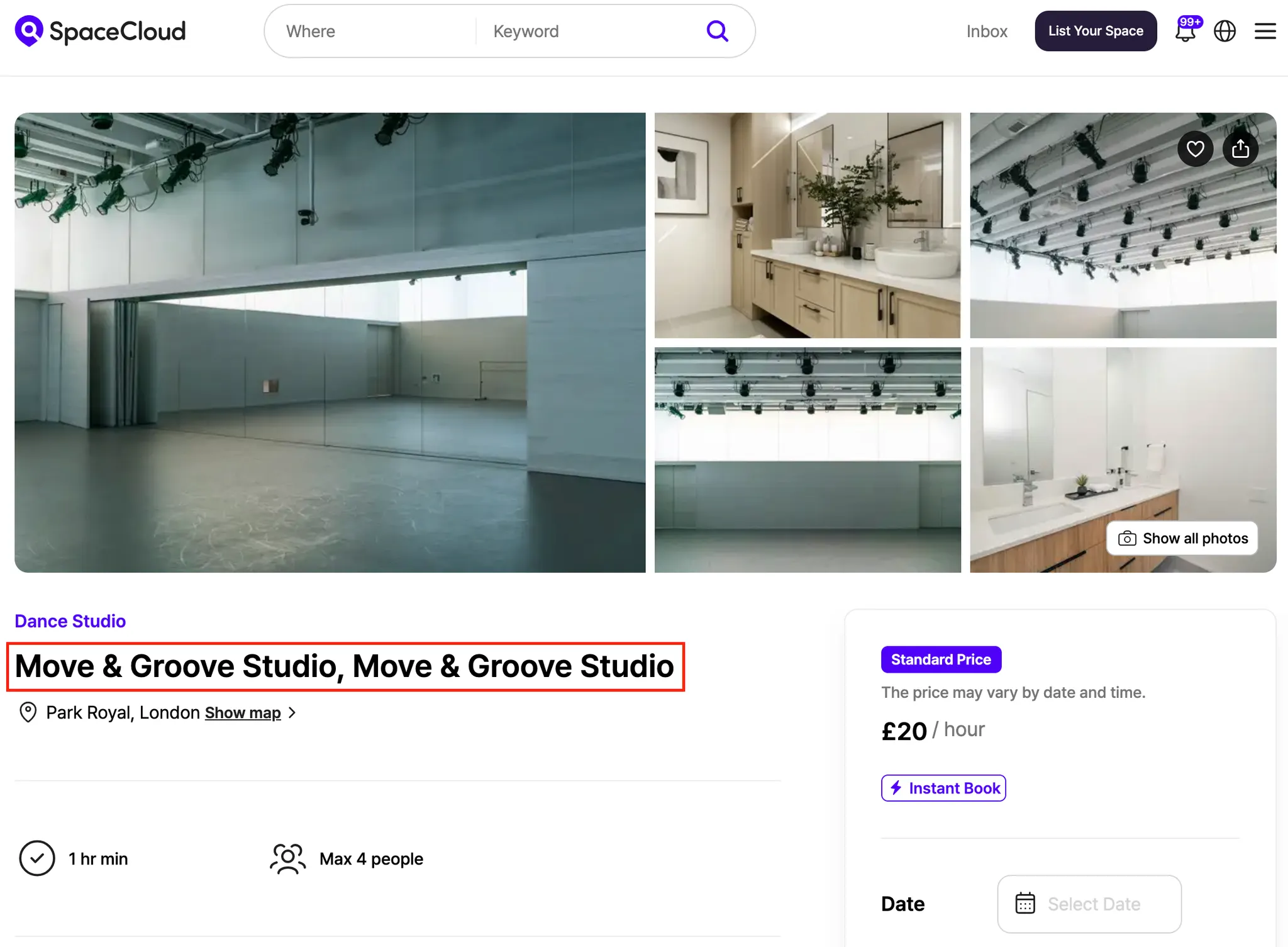
✖ Place & Space Names
Place Name: Move & Groove Studio
Space Name: Move & Groove Studio
How it appears in search results:
"Move & Groove Studio, Move & Groove Studio, London – SpaceCloud"
💡 The Issue:
Lack of descriptive detail. If guests can’t instantly see what the space is for, they are unlikely to click.
4. How to Update Your Place and Space Names
You can refine your naming at any time via the Host Dashboard.
4.1 Updating the Place Name
1) Go to your Host Dashboard.
2) Click on [My Places].
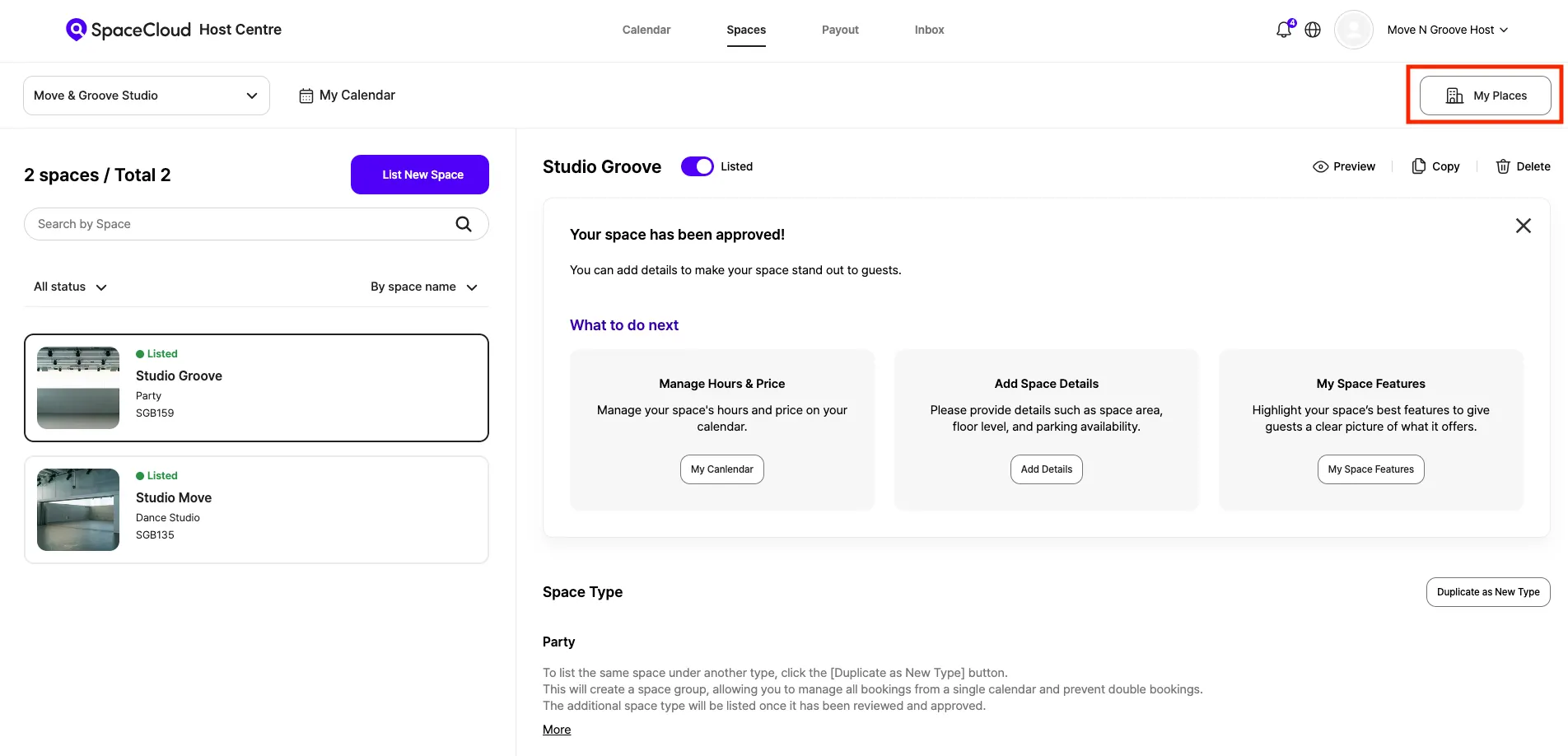
3) Select your place and click [Edit].
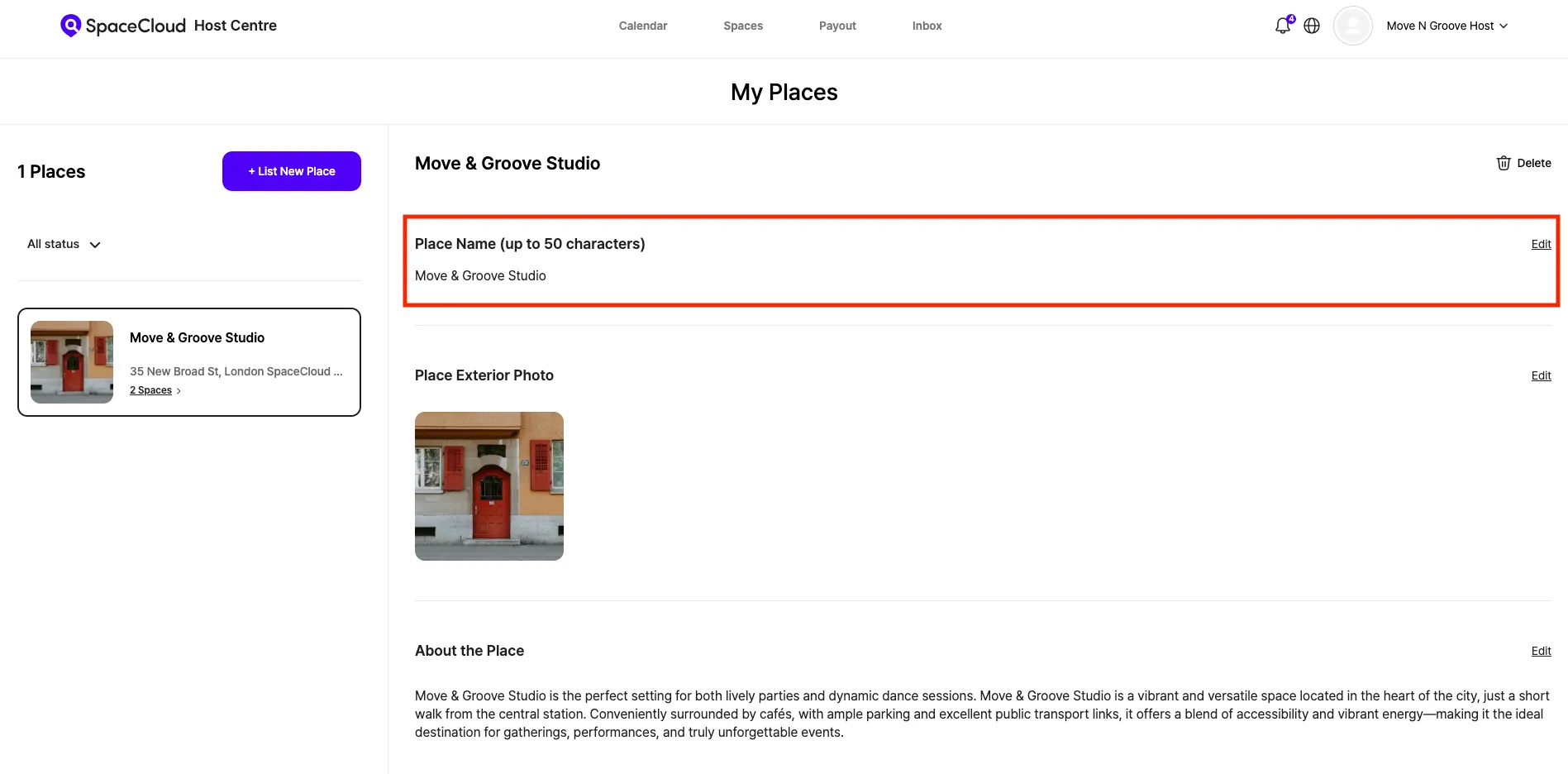
4) Update the Place Name and save your changes.
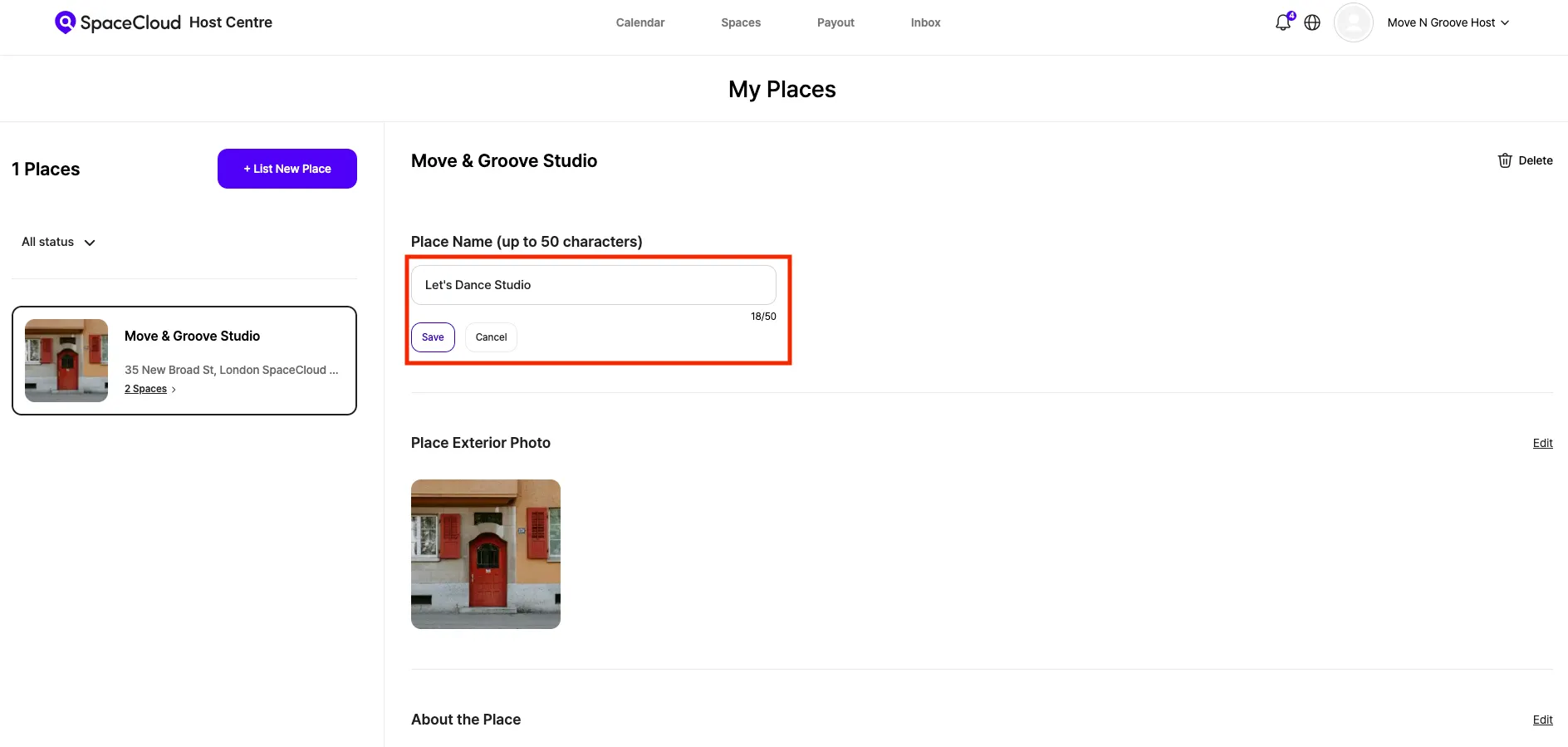
4.2 Updating the Space Name
1) Go to your Host Dashboard.
2) Select the specific Space you wish to modify.
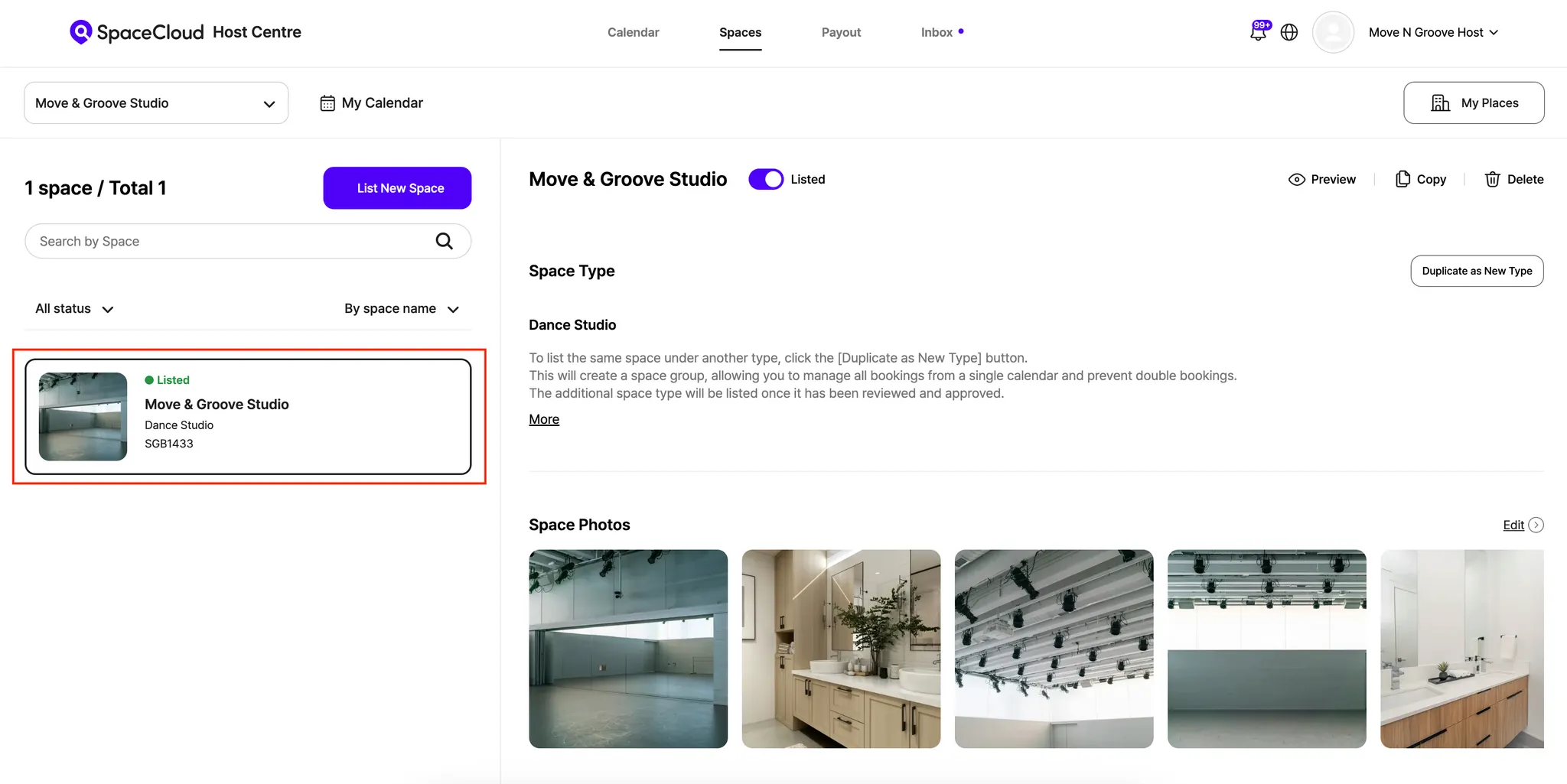
3) Click [Edit]

4) Update the Space Name and save your changes.
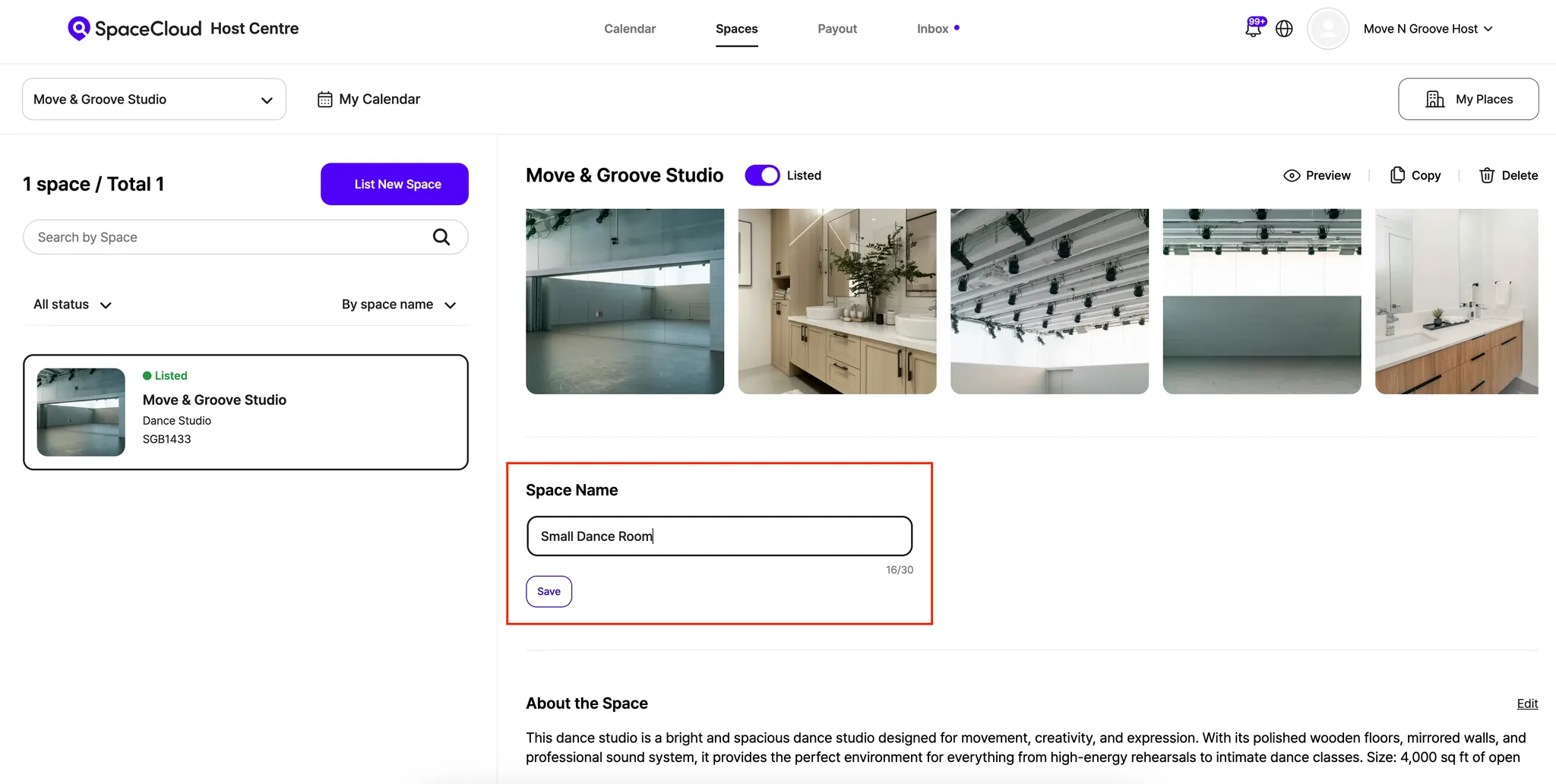
By taking a few moments to set clear, descriptive names, you’ll significantly boost your visibility in search results and ensure guests find exactly what they’re looking for.
If you have any questions, please explore our Host FAQ page or contact our Support Team.
We’re always happy to help! 😊
Space for Everyone,
Team SpaceCloud
'HOST FAQ' 카테고리의 다른 글
| SpaceCloud Payout Information Guide (0) | 2026.03.13 |
|---|---|
| How to Add Additional Information (0) | 2025.12.23 |
| How to Set Package Bookings (0) | 2025.09.16 |
| SpaceCloud Invoice Policy (0) | 2025.09.16 |
| How to Set Special Dates and Prices (0) | 2025.09.16 |