
SpaceCloud Payout Information Guide
To ensure your payouts are processed smoothly and tax reporting requirements are met, you need to provide your payout information.
1. Where and How to Enter the Information
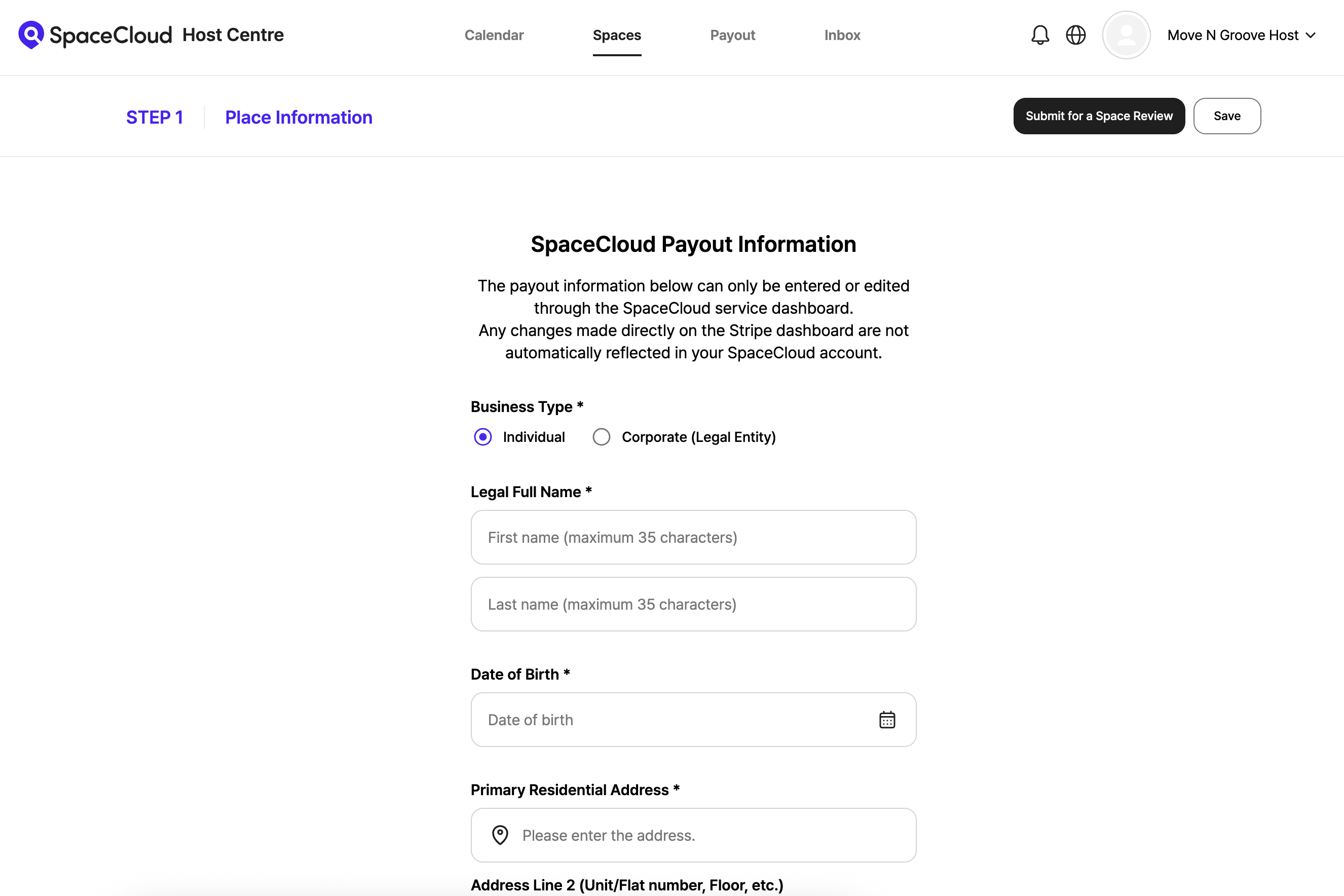
For new hosts:
You can enter this information when listing your space during Step One – Place Information.
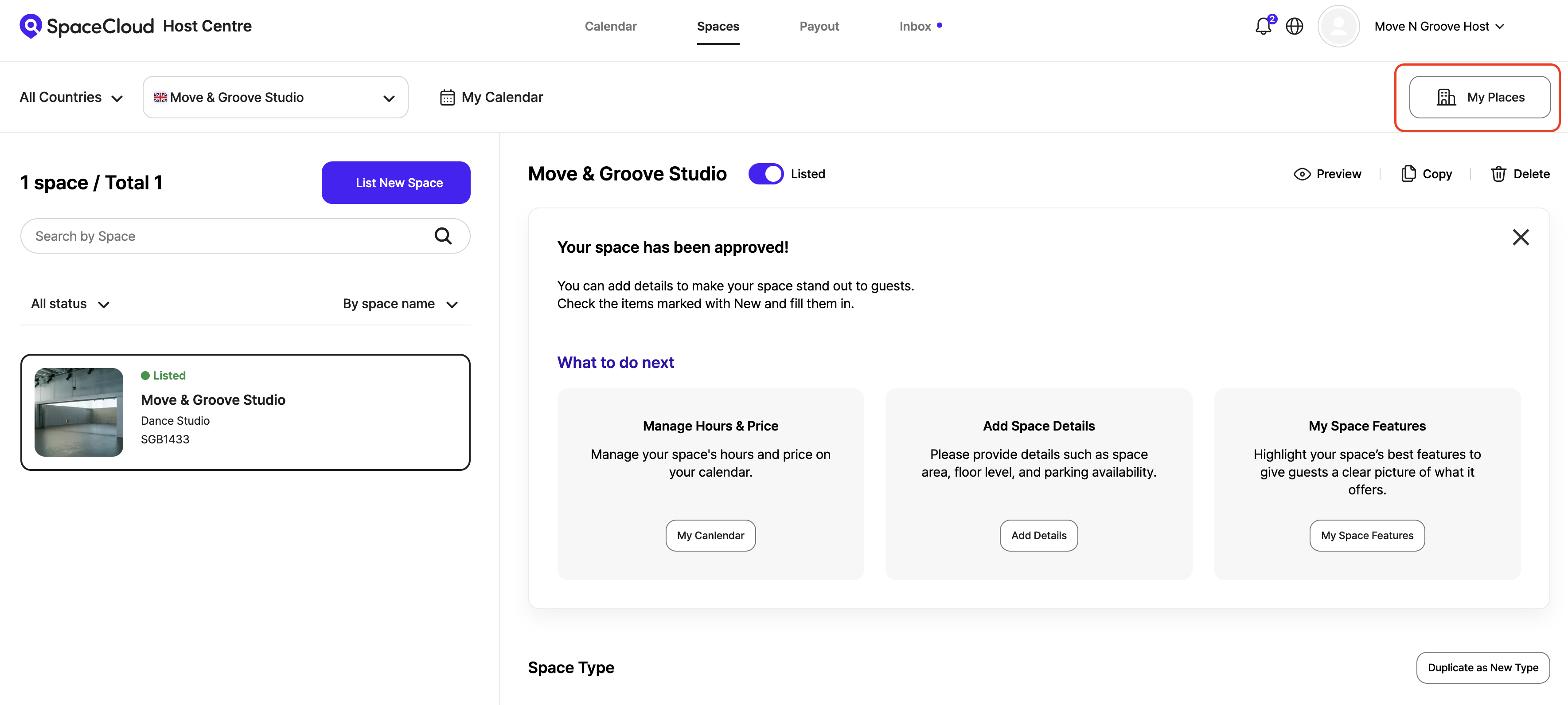
For hosts who have already listed a space:
Please follow the steps below.
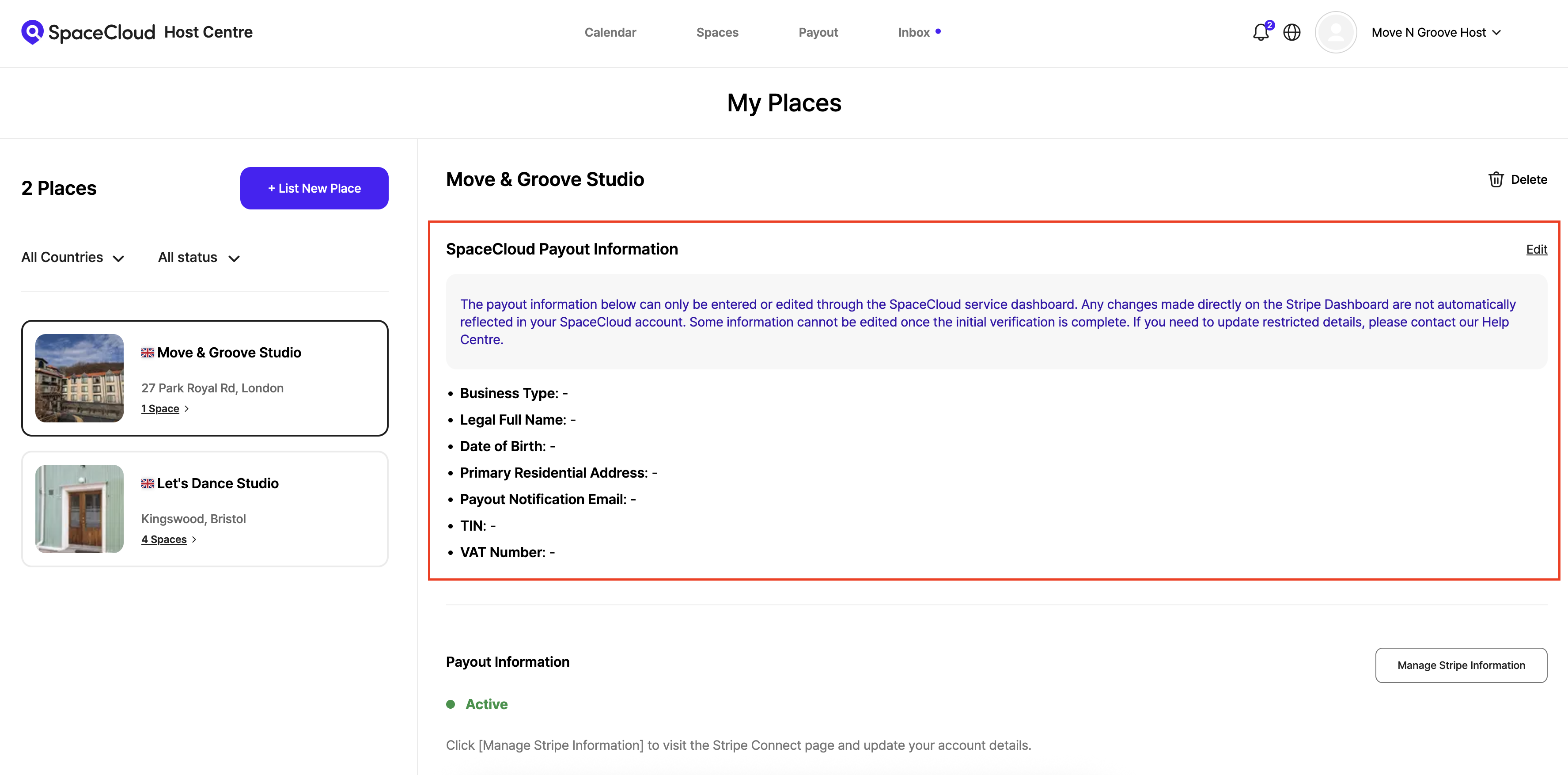
- Path: Host Centre → My Places → SpaceCloud Payout Information → Click [Edit]
- Submission: Fill in the required details on the page and click Save
2. Required Information
Business Type
When entering your SpaceCloud payout information, select the appropriate business type: Individual (Includes private individuals and sole traders) or Corporate (Legal Entity). The required details differ depending on the selection.
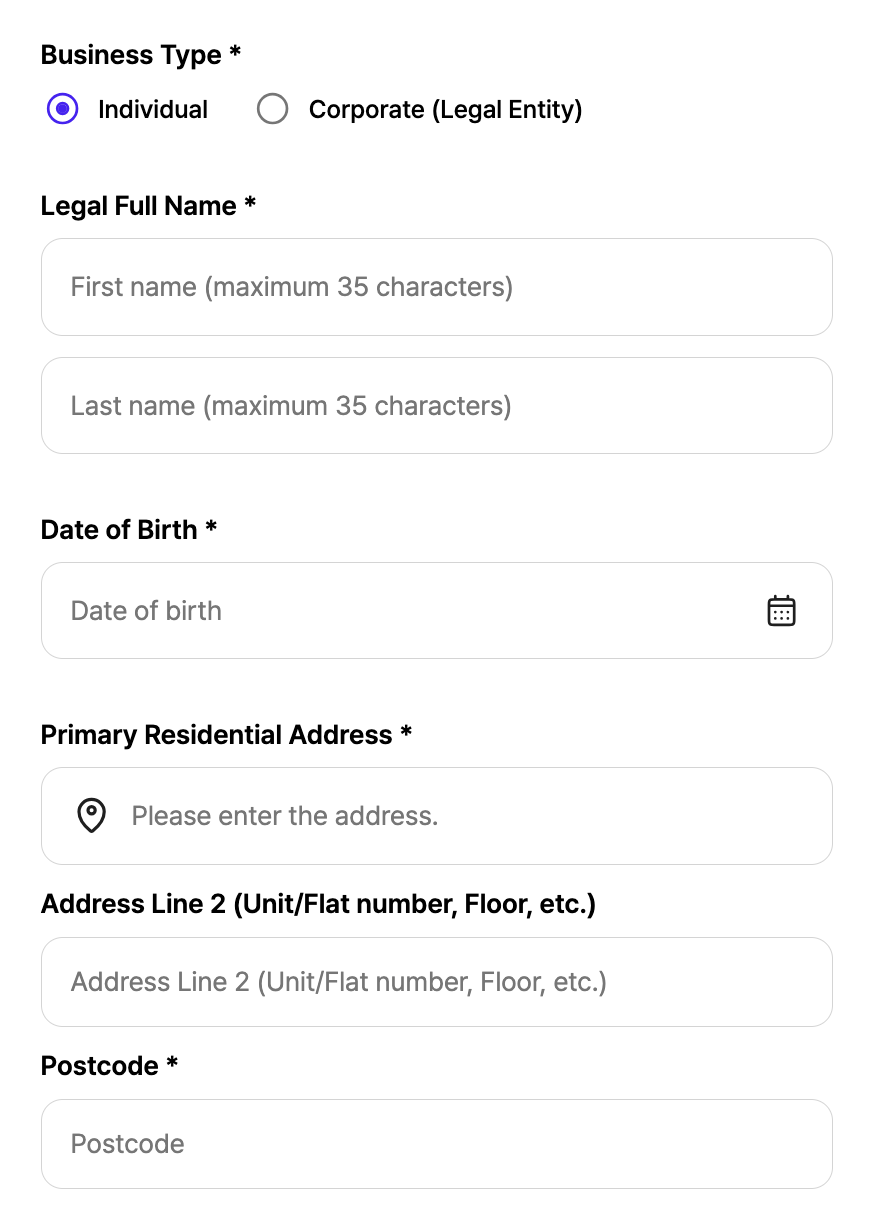
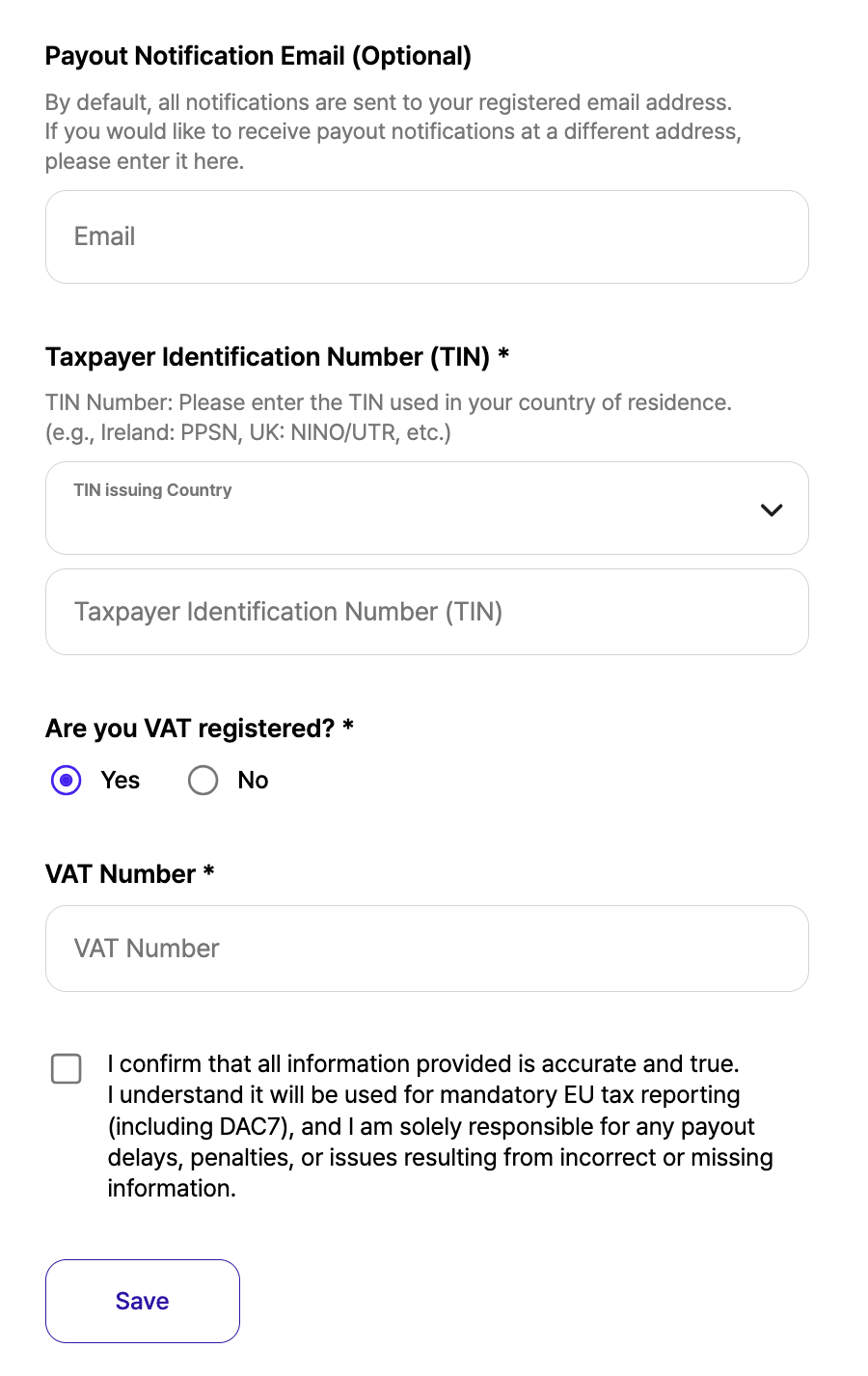
Individual
Please provide the following information:
1. Legal Full Name
2. Date of Birth
3. Primary Residential Address
4. Payout Notification Email (Optional)
5. Tax Identification Number (TIN)
6. VAT Number
Note: For individuals, your primary residential address does not need to match the country of the place.
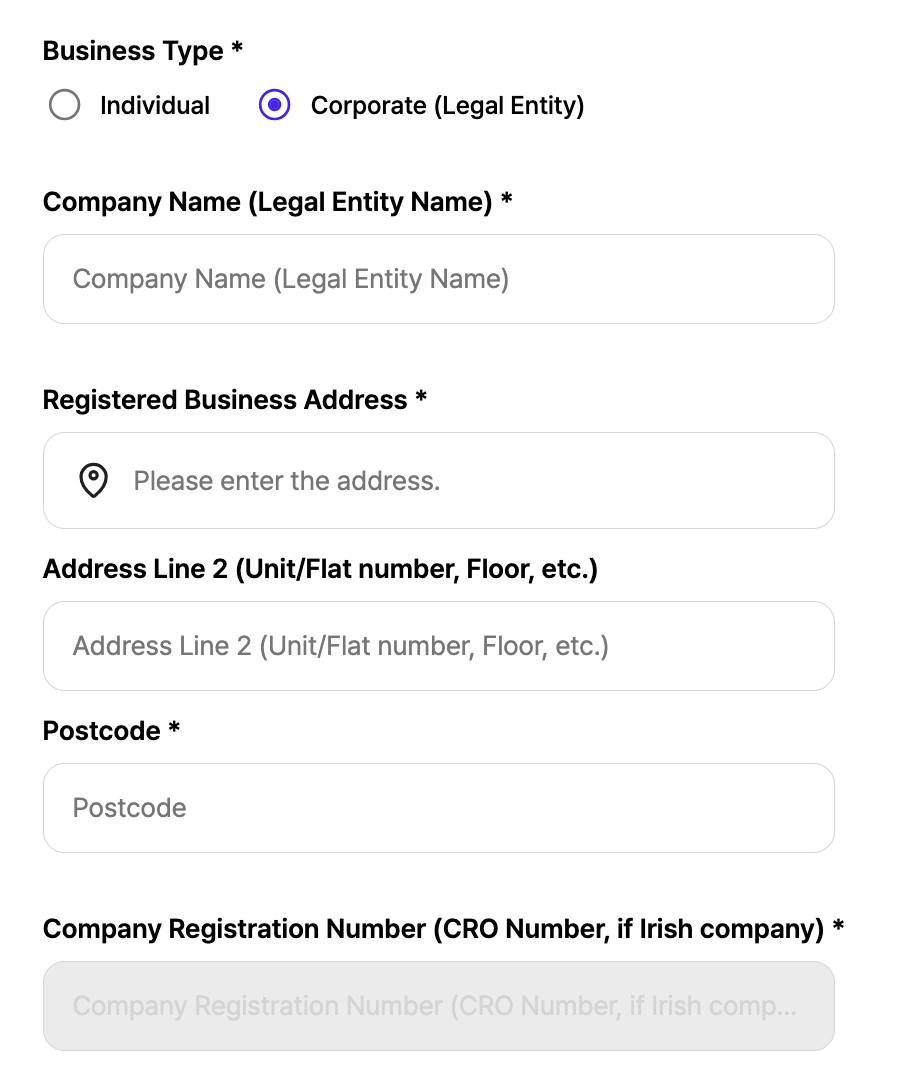
Corporate (Legal Entity)
Please provide the following information:
1. Company Name (Legal Entity Name)
2. Registered Business Address
3. Company Registration Number
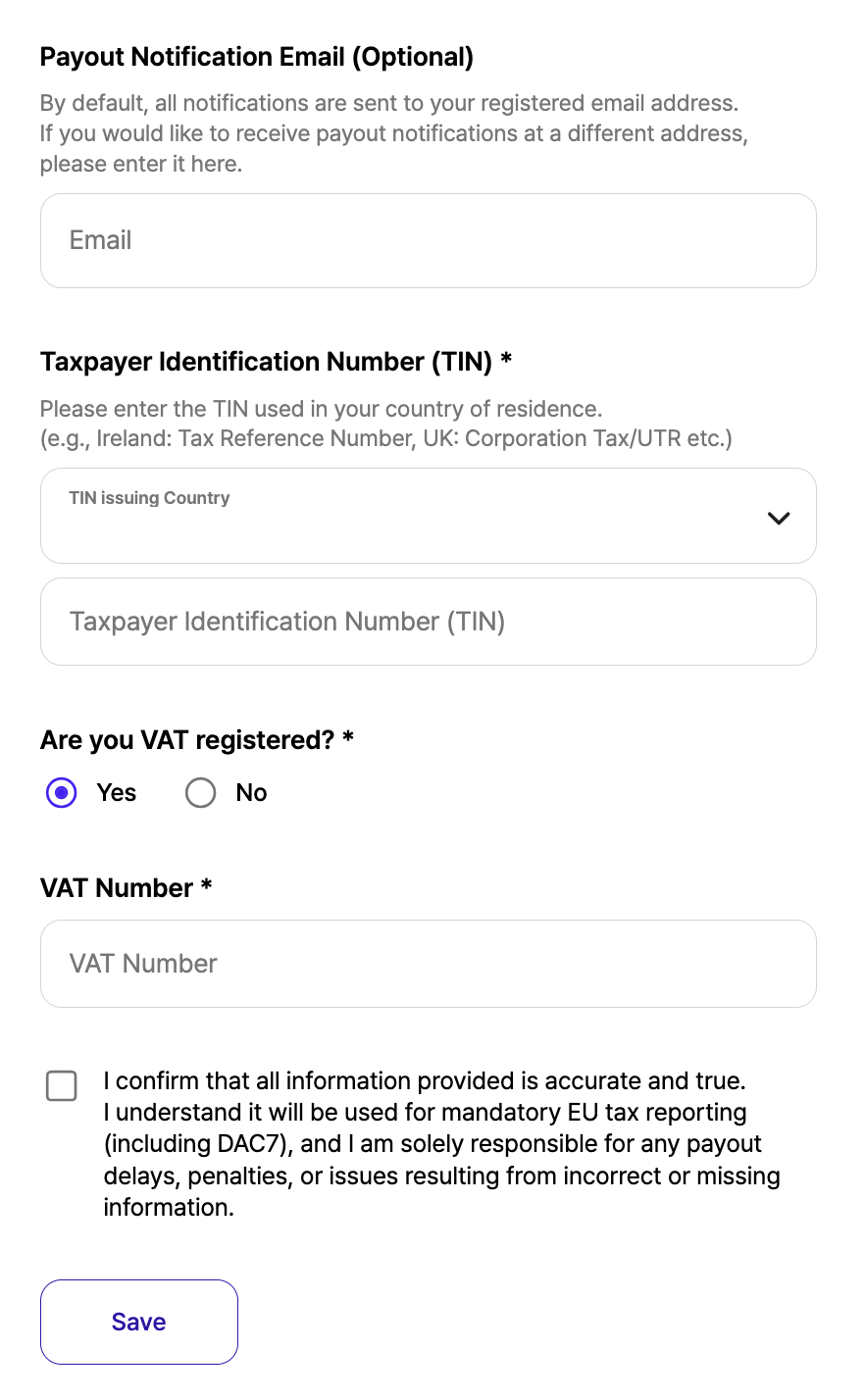
4. Payout Notification Email (Optional)
5. Tax Identification Number (TIN)
6. VAT Number
Notes:
• The registered business address can be in a different country from the place.
• The Company Registration Number (CRN) must correspond to the country of the registered business address.
TIN (Tax Identification Number)
Please enter the Tax Identification Number (TIN) applicable in your country. There are no country restrictions, so you may provide the relevant tax identification number issued in your jurisdiction.
Payout Email
You can specify a separate email address for payout-related communications. If your organisation has a finance team or a person responsible for payouts, enter their email address here. All payout notifications and emails will be sent to this address.
VAT Number
VAT on service fees applies based on the location of the place. For smooth tax processing, please provide a VAT registration number issued by that country. If you do not have a VAT number for that country, you may leave this field blank.
Example: If a place is located in Ireland, only an Irish VAT number can be entered (UK VAT numbers are not accepted).
Reverse Charge (VAT)
For places located in Ireland, the reverse charge mechanism may apply.
If a host provides a valid Irish VAT number:
• VAT on the host service fee will be charged at 0%
• The host is responsible for declaring and paying the VAT directly to the Irish Revenue Commissioners
3. Important: Updating Your Information
If there are any changes to your payout or business information, you must update the details in both the SpaceCloud Host Centre and your Stripe Connect.
Please note that SpaceCloud and Stripe are separate platforms and do not automatically exchange or synchronise data. To ensure your payouts are processed correctly and to avoid any data mismatches, it is essential to keep the information consistent and up-to-date across both services by updating them manually.
'HOST FAQ' 카테고리의 다른 글
| How to Boost Your Visibility: A Naming Guide (0) | 2026.01.14 |
|---|---|
| How to Add Additional Information (0) | 2025.12.23 |
| How to Set Package Bookings (0) | 2025.09.16 |
| SpaceCloud Invoice Policy (0) | 2025.09.16 |
| How to Set Special Dates and Prices (0) | 2025.09.16 |