
Hello, this is the SpaceCloud Support Team.
Got a SpaceCloud coupon? Great choice! ✨
In this guide, we’ll walk you through how to use your coupon and enjoy a discount on your booking.
🎟️ How to Apply Your SpaceCloud Coupon
1. Choose a space and start your booking
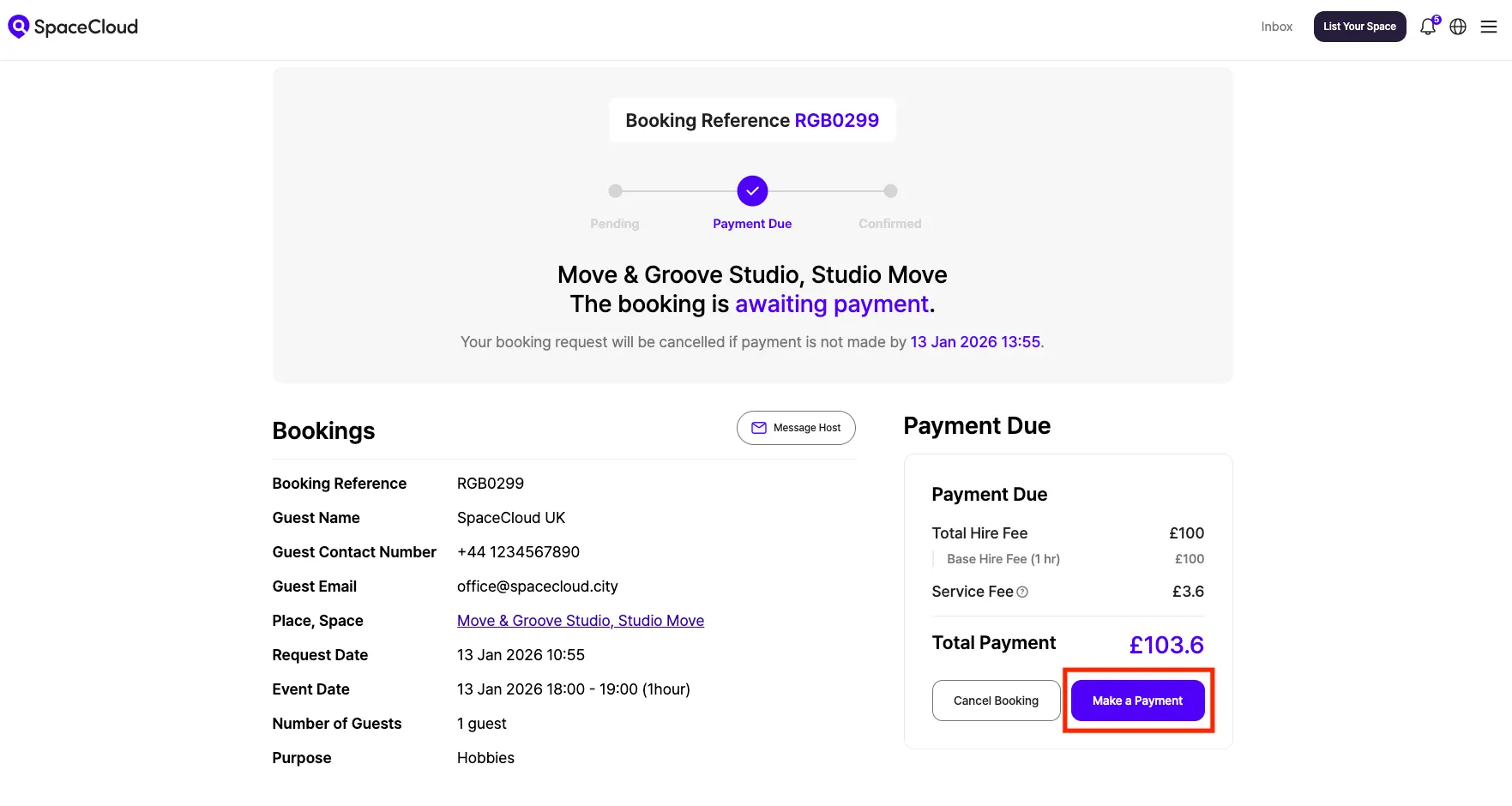
Once you’ve found a space you like, proceed with the booking and click the [Make a Payment] button.
2. Enter Your Code on the Stripe Payment Page
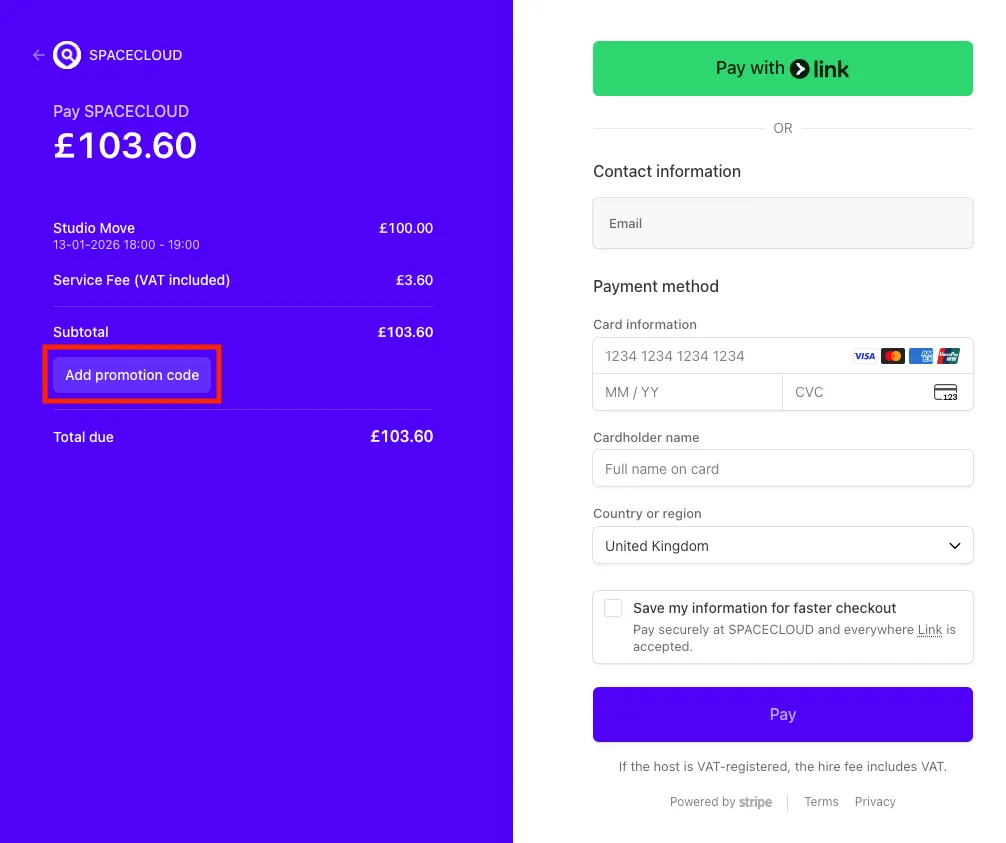
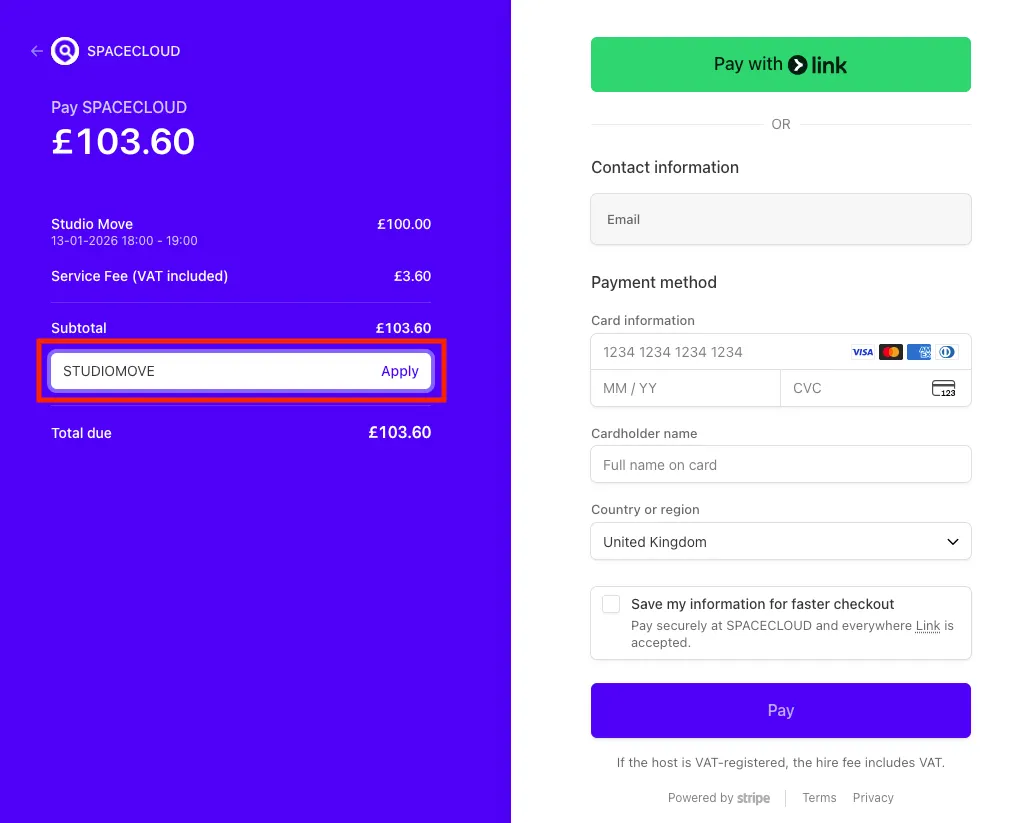
When you proceed to the payment stage of your booking, you will be directed to the Stripe payment page. Please enter your promotion code in the field labelled [Add promotion code].
3. Discount Applied Automatically
If the coupon code is valid, the discount will be immediately calculated and reflected in your booking total.
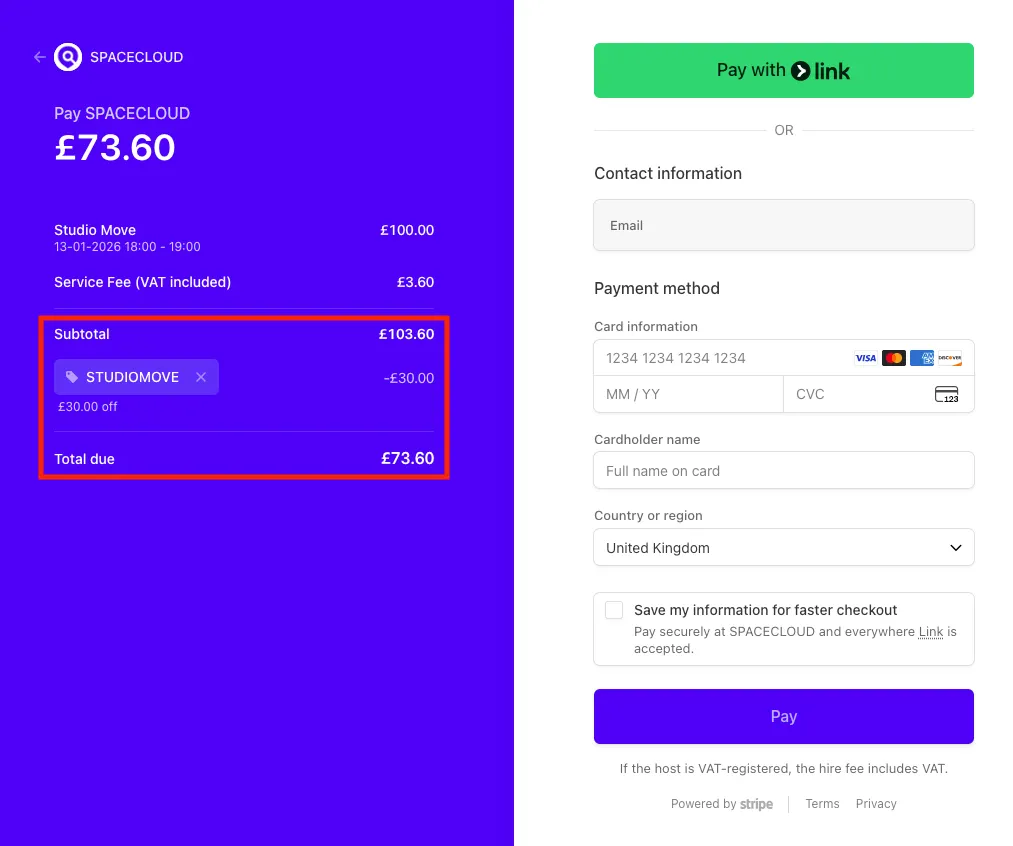
4. Complete Payment with Discounted Price
Check the final amount displayed and then complete your payment. Your booking will be confirmed once the payment is successful.
🔍 Please Check the Coupon Terms
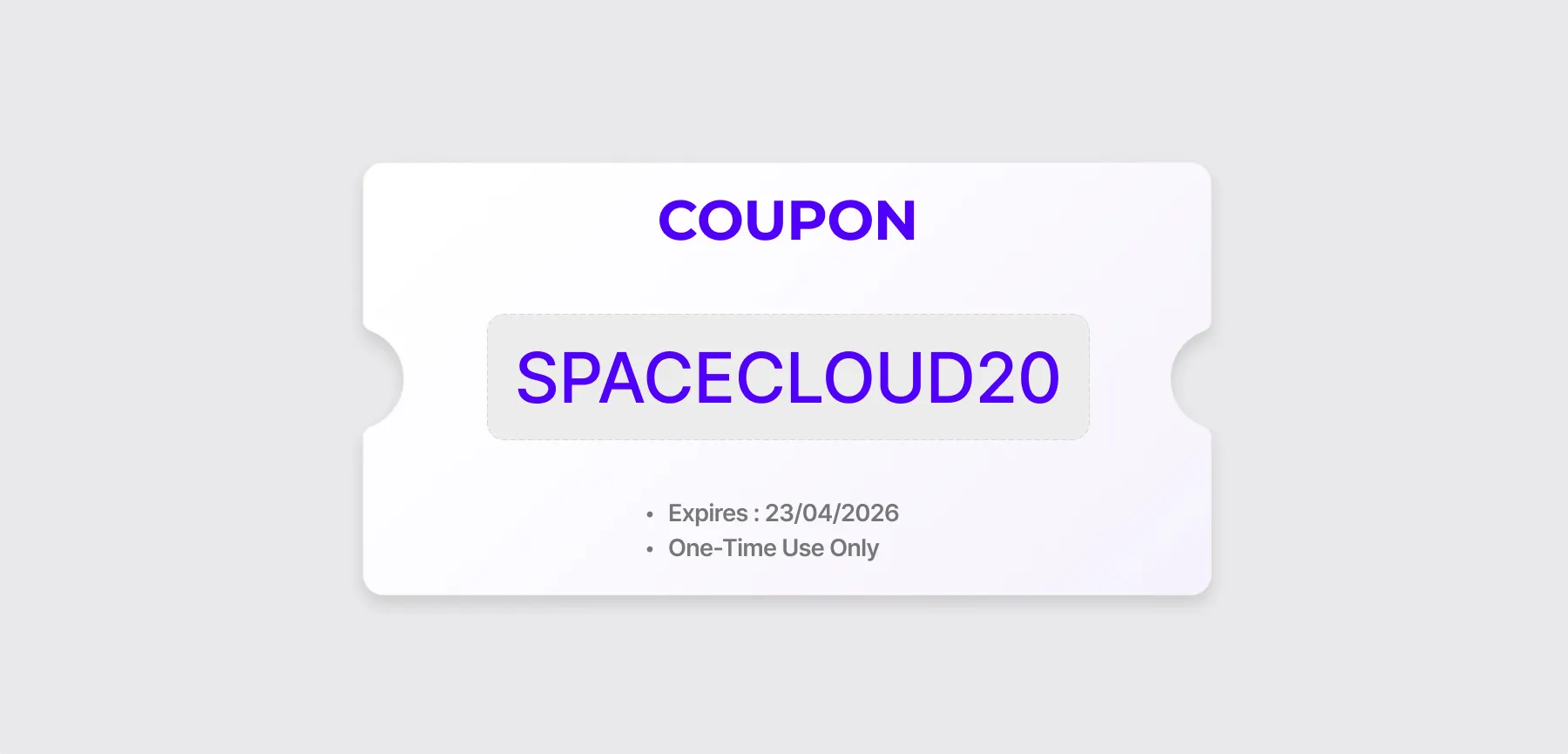
If you’ve received a coupon code, you can use it when paying for any space listed on our platform. Kindly note that only one coupon can be applied per booking.
Having trouble applying your code?
• The coupon may have expired – check the validity date.
• Each coupon is for single use only, so it may have already been used.
📌 A Note About Booking Cancellation
If you cancel a booking, your coupon may be reissued if the conditions below are met. The reissued coupon (with a new code) will appear on the booking details page after cancellation.
Coupon reissue conditions
• The coupon is still valid at the time of cancellation
• The payment is fully refunded
Example:
If you cancel a booking on 29 September and receive a full refund for a coupon valid from 1–30 September, the coupon will be reissued with the same validity period (1–30 September).
When a coupon cannot be reissued
• The coupon has already expired
• The payment is partially refunded
• The payment is non-refundable
Please note that refunds for bookings with a coupon applied are handled according to the host’s cancellation policy. Be sure to check the space’s details page for full refund terms
🎁 Keep an Eye Out for SpaceCloud’s Surprise Coupon Treats! 🥳
Every now and then, we surprise our hosts and guests with special coupon events.
Who knows, you might just find some fantastic discounts waiting for you! ✨
Space for Everyone,
Team SpaceCloud
'SERVICE GUIDE' 카테고리의 다른 글
| Guide to Communicating with Hosts (0) | 2025.09.16 |
|---|---|
| How to Write a Review (0) | 2025.09.16 |
| How to Cancel a Booking (0) | 2025.09.16 |
| How to Book a Space (0) | 2025.09.16 |
| SpaceCloud Refund Policy (0) | 2025.09.16 |